AI PDF READER
AI PDF Reader opens a document, indexes it right on your machine, and answers your questions with clickable citations that jump to the exact page. It is also a full PDF reader — read, search, annotate and bookmark — and with a local model, your documents never have to leave your device.
Get it on Microsoft Store See what it does ↓
Free to start • Windows, macOS & Linux • Local models work offline
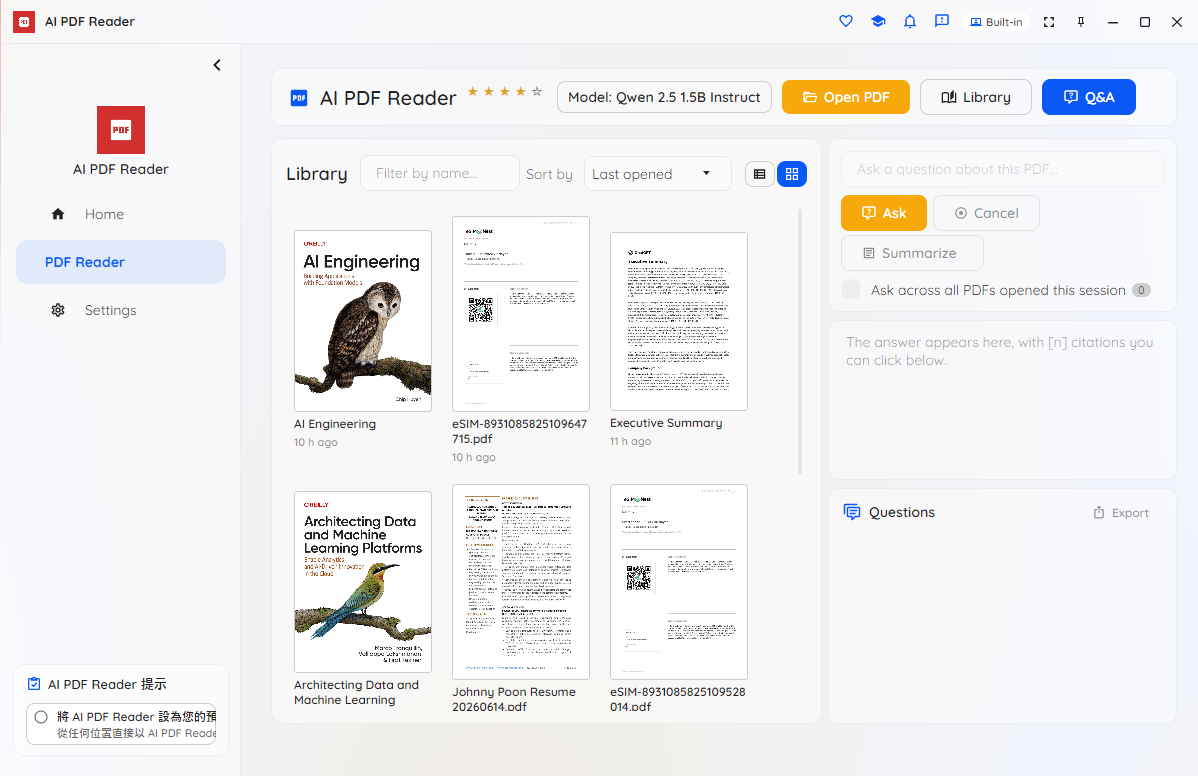
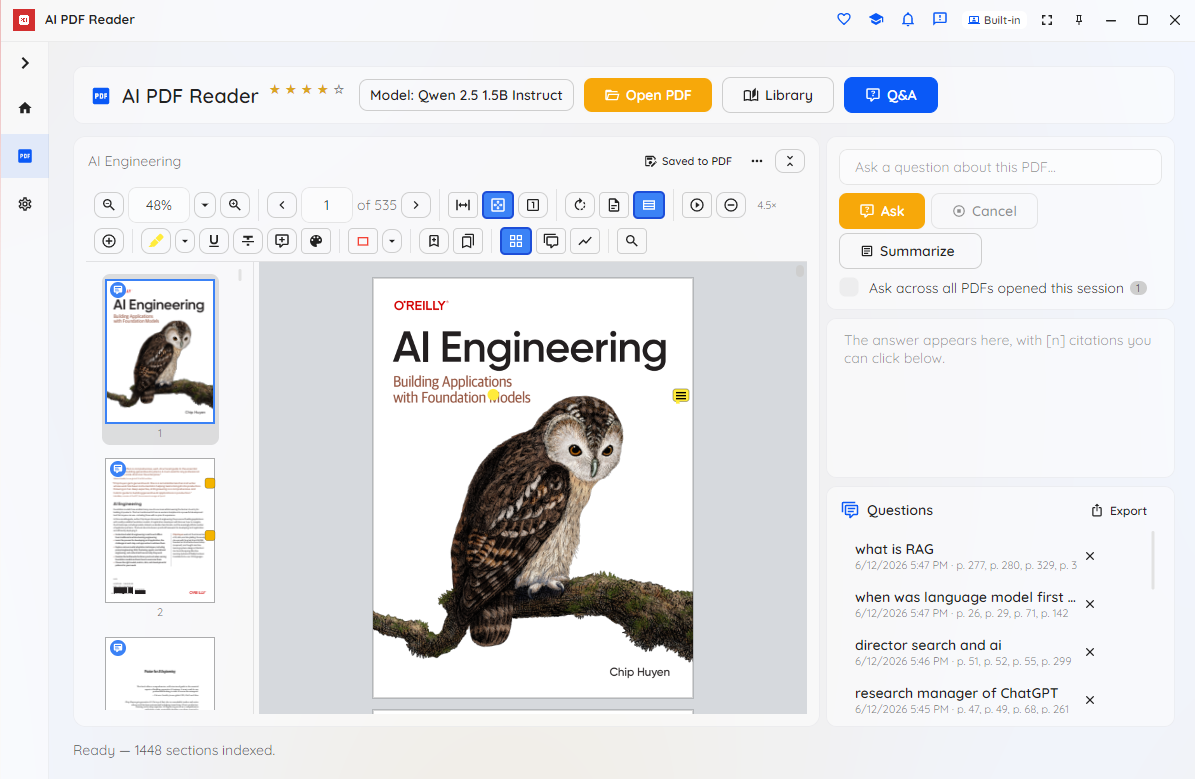
Open a PDF, let it index privately on your device, and ask anything — every answer cites the exact pages it used. Read, mark up and organise your documents in a full-featured viewer along the way.
Ask a question and the answer streams back with inline [1][2] citations and a sources row. Click any citation to jump straight to that page with the passage highlighted — so you can verify every claim against the document itself.
With a local model, extraction, indexing, retrieval and answering all run on your device — turn the network off and it keeps working. Your history, recent files, annotations and bookmarks are encrypted at rest. Cloud models are opt-in and clearly marked.
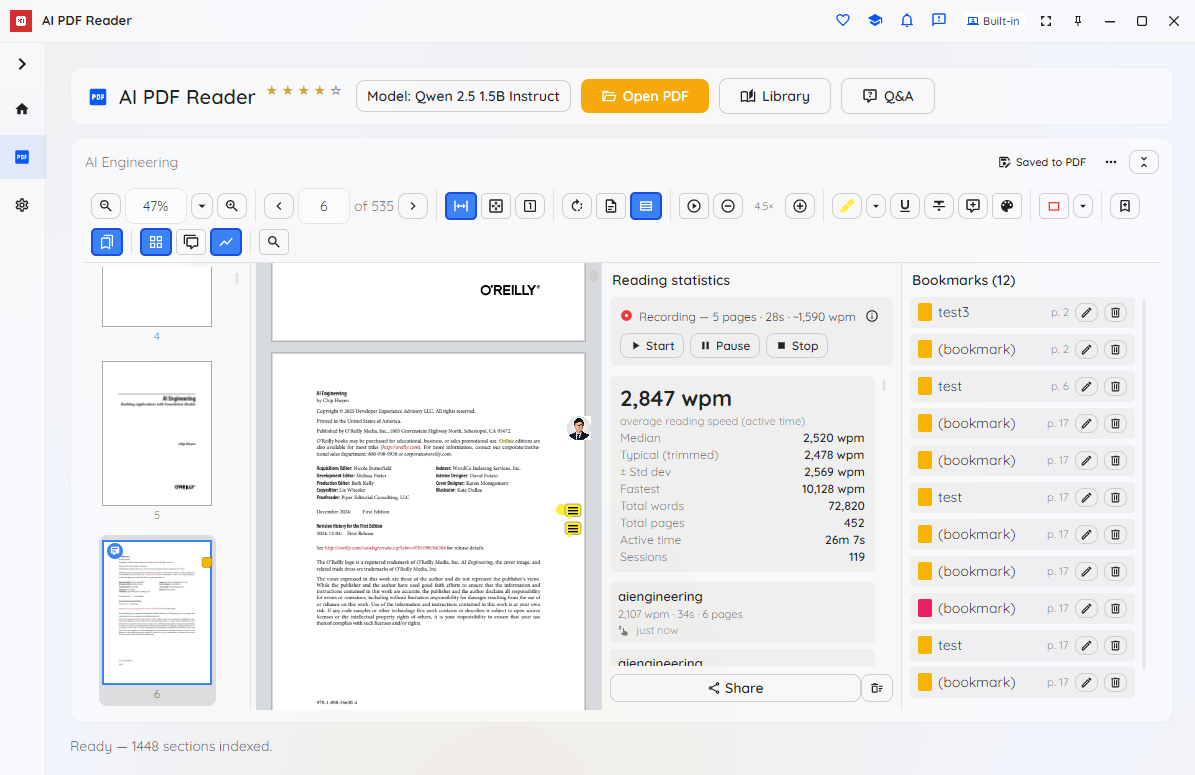
Zoom and fit, rotate, continuous or single-page layouts, a thumbnail sidebar, find-in-document, text selection and copy, and hands-free auto-scroll with a reading-speed tracker. Use it purely as a reader even if you never ask a question.
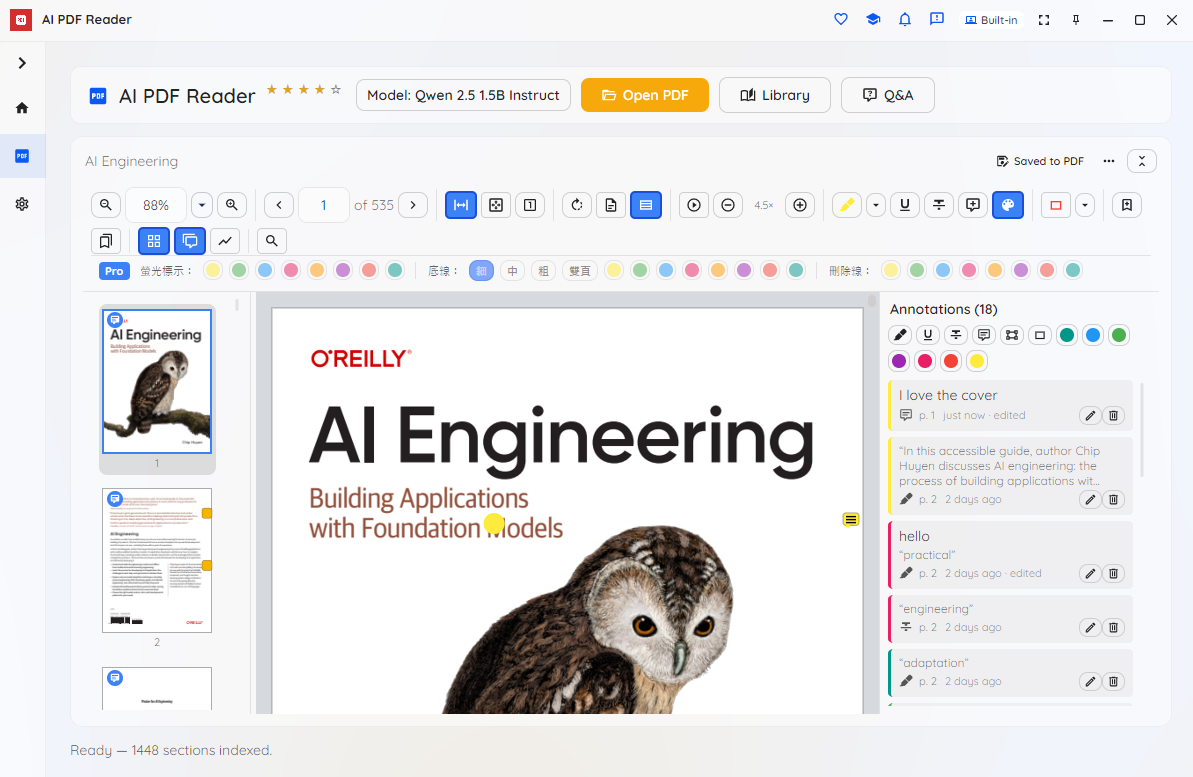
Highlight, underline, strike through, add sticky notes and mark regions; bookmark any page with a label, colour or custom image. Annotations and bookmarks are written into the PDF itself, so they come along when you send the file to someone else — and a private encrypted copy stays on your device.
Pro adds OCR so even image-only scans become searchable and answerable, whole-document summaries, and the ability to ask one question across every open PDF at once — with citations that tell you which file and page each answer came from.
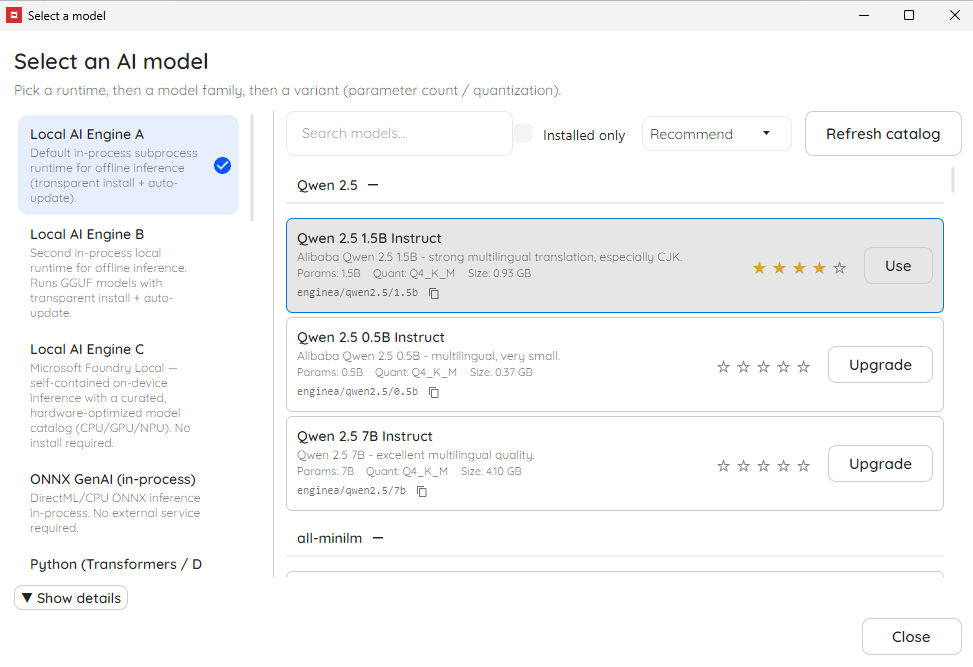
Start free with a capable on-device model — it is selected and downloaded automatically the first time you ask. Pro unlocks premium local models, multilingual embedding models for sharper retrieval, and optional cloud providers for the hardest questions.
The whole interface — viewer, panels and menus — is available in 16 languages and follows your operating system's language automatically, with a one-click switch in Settings.
Every question and answer is saved per document, encrypted, with one-click restore and retention you set (a number of days, or keep forever). A recent-files library with search, sort and a thumbnail grid gets you back to any document fast.
A headless command-line tool indexes documents and answers questions from the terminal, and doubles as an MCP server so AI agents and other tools can query your PDFs — entirely on your own infrastructure.
Open a document on the left, ask on the right, and click a citation to land on the exact page. Annotate, bookmark and track your reading as you go.
Your library — filter, sort and reopen recent PDFs.
Read the document and ask questions side by side.
Pick your answering and embedding models.
Highlight, comment and mark up — saved in the file.
Track your reading speed and manage bookmarks.
Open any PDF and the first page shows instantly. In the background it is indexed privately on your device — the free on-device model downloads once on first use, then runs offline.
Type a question. AI PDF Reader finds the most relevant passages and sends only those plus your question to the model, then streams an answer with clickable page citations.
Click a citation to jump to the source page, highlight or comment on what matters, and bookmark it for later — your markup is saved in the file and encrypted on your device.
When documents can't go to the cloud, AI PDF Reader brings the AI to the documents instead.
Contracts, case files, patient records, financial reports and classified material stay on the device — ideal for legal, healthcare, finance, government and air-gapped environments.
No per-page or per-token cloud charges. Pay for the app, read as many documents as you like, and keep working offline.
Every answer points to the exact page it came from, so reviewers can check the source instead of trusting a black box.
Choose which models run, keep documents and indexes on your own machines, and deploy across a fleet without sending anything to a third party.
AI PDF Reader runs on Windows, macOS and Linux, with a headless CLI and MCP server for automation. Get it today from the Microsoft Store on Windows — macOS and Linux store links are coming soon, and browser and mobile editions are on the roadmap.
Free includes a capable on-device answering model, the full PDF viewer, ask-with-citations, and basic annotations — no time limit and no nag screens. Pro unlocks OCR for scanned PDFs, whole-document summaries, multi-PDF questions, Q&A export, premium and multilingual models, advanced retrieval tuning, and bookmarks.
Students, educators, researchers, non-profits and other qualified users can apply for a free 12-month Pro licence.
Free to start, on-device by design. Get AI PDF Reader on Windows from the Microsoft Store, or read the plans first.