AI Image Tool AI IMAGE TOOL

Understand and search your whole photo library.

Point AI Image Tool at a folder of photos and it writes a plain-language description of each one, spots the objects, reads any text, and makes the whole collection searchable — by meaning, not just file names. Group faces into named people, organise with folders and tags, annotate and remove backgrounds. With the built-in models it all runs on your own device, so your pictures never have to leave it.

Get it on Microsoft Store See what it does ↓

Free to start • Windows • Built-in models work offline • Your photos stay on your device
WHAT AI IMAGE TOOL DOES

A private photo assistant that runs on your computer

Open a folder and let AI Image Tool learn what is in every picture — then find, organise, mark up and edit your photos, all without uploading them anywhere.

Plain-language descriptions

Every photo gets an AI-written description of what it shows, plus scene and category tags. It runs on a built-in on-device model, so you get useful captions for a whole folder without sending a single picture to the cloud.

Find any photo by meaning

Search in your own words — “red bicycle in the rain” — and semantic search ranks photos by what they actually contain. Keyword matching against descriptions, detected objects and recognised text works too, with adjustable strictness. Both run entirely on your device.

Objects, text & auto tags

On-device object detection labels what is in each photo, offline OCR reads any visible text, and everything becomes a tag you can filter on. Combine categories, objects, text and people to zero in on exactly the shots you want.

People, privately

Turn on face grouping to gather each person’s photos under a name you choose, then look anyone up in a click. It is strictly opt-in and off by default, runs entirely on your device, and the face data is encrypted and never leaves your machine.

Organise without moving files

Sort photos into virtual folders — drag to reorder, reparent and undo — and tag them with shared, reusable categories. Because folders are virtual and keyed to each picture’s content, your organisation follows a photo even if you rename or move the original file.

Annotate & bookmark

Mark regions and add comments right on a photo, and bookmark the shots that matter with a colour or custom sticker — move, resize and recolour marks freely, with undo. Your annotations and bookmarks are stored in an encrypted sidecar on your device and follow the picture across renames and moves.

Adjust, export & remove backgrounds

Fine-tune exposure, temperature, tint, contrast, saturation and blur; convert and resize; and cut a subject out of its background to a transparent PNG — background removal runs on your device and is included free.

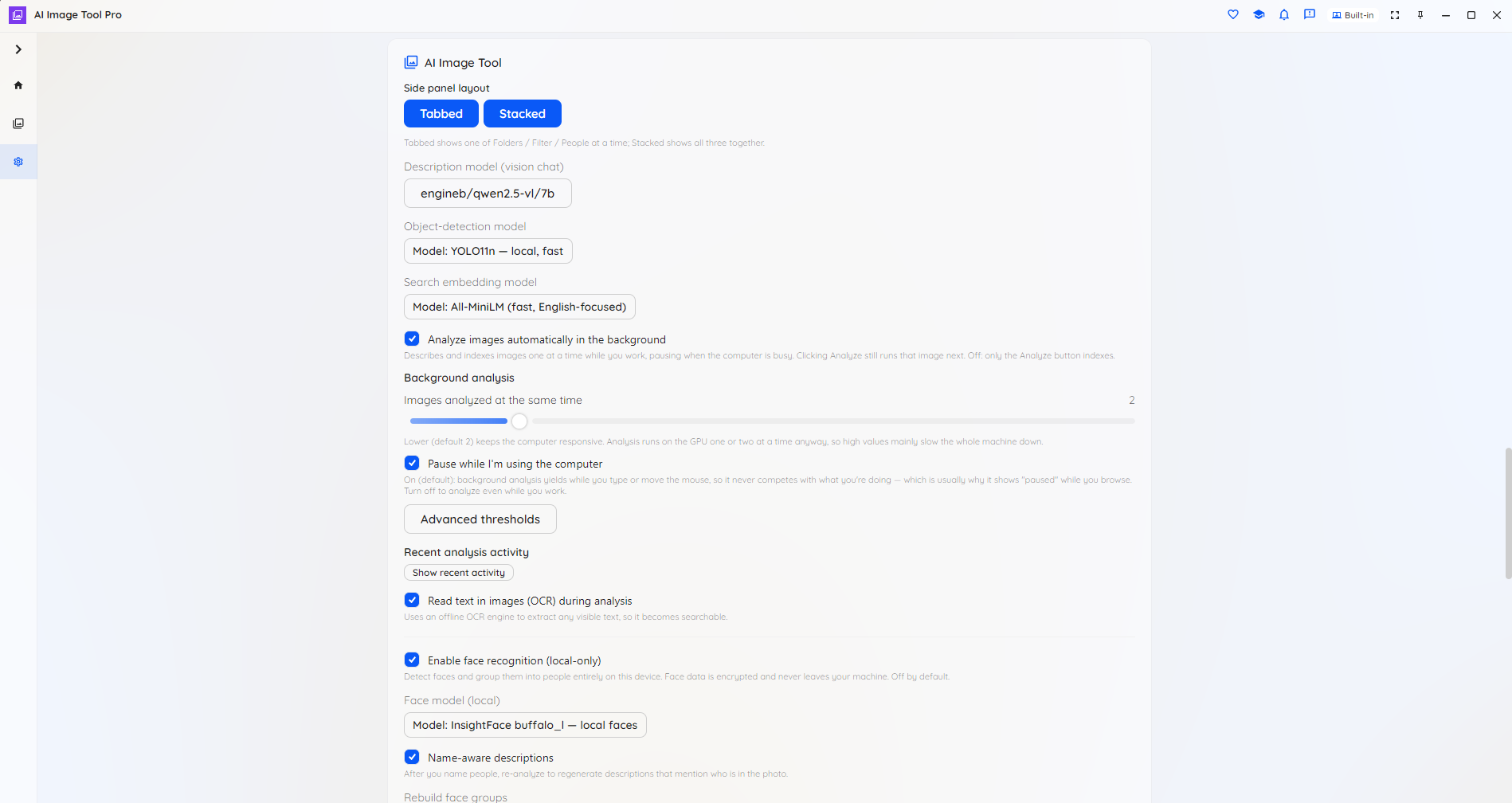
Choose your model

Start free with capable on-device models — they download automatically the first time they are needed. Pro unlocks larger, more accurate models for captions and detection, premium multilingual search-embedding models, and optional cloud providers for the hardest cases.

In your language, and scriptable

The interface is available in 16 languages and follows your operating system automatically, with a one-click switch in Settings. A headless command-line tool can analyse, search and convert whole folders from the terminal — entirely on your own infrastructure.

SEE IT IN ACTION

Browse, understand and organise — in one window

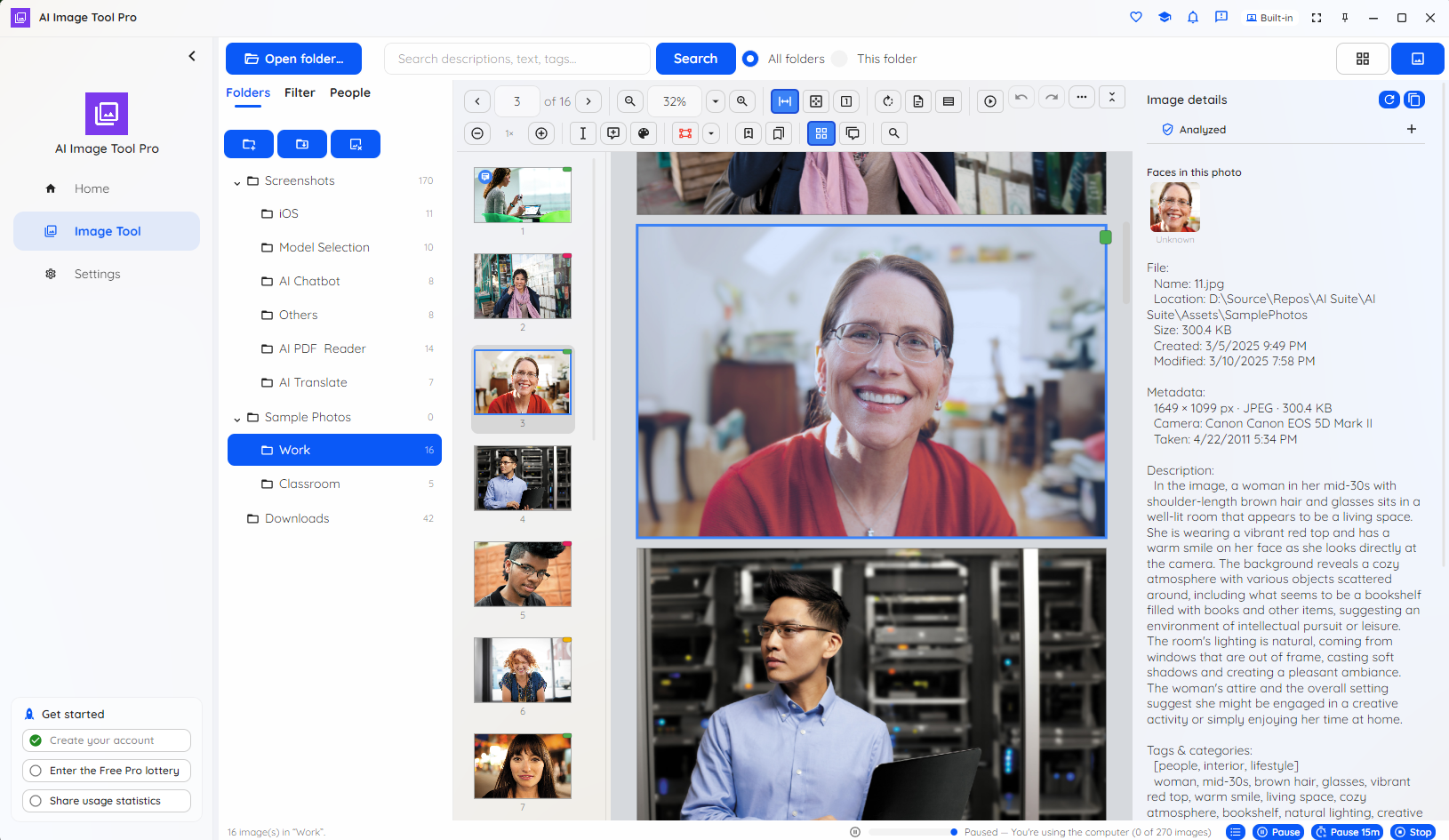
A packed gallery on one side, the details of the selected photo on the other. Search by meaning, group people, annotate, and pick the models that do the work.

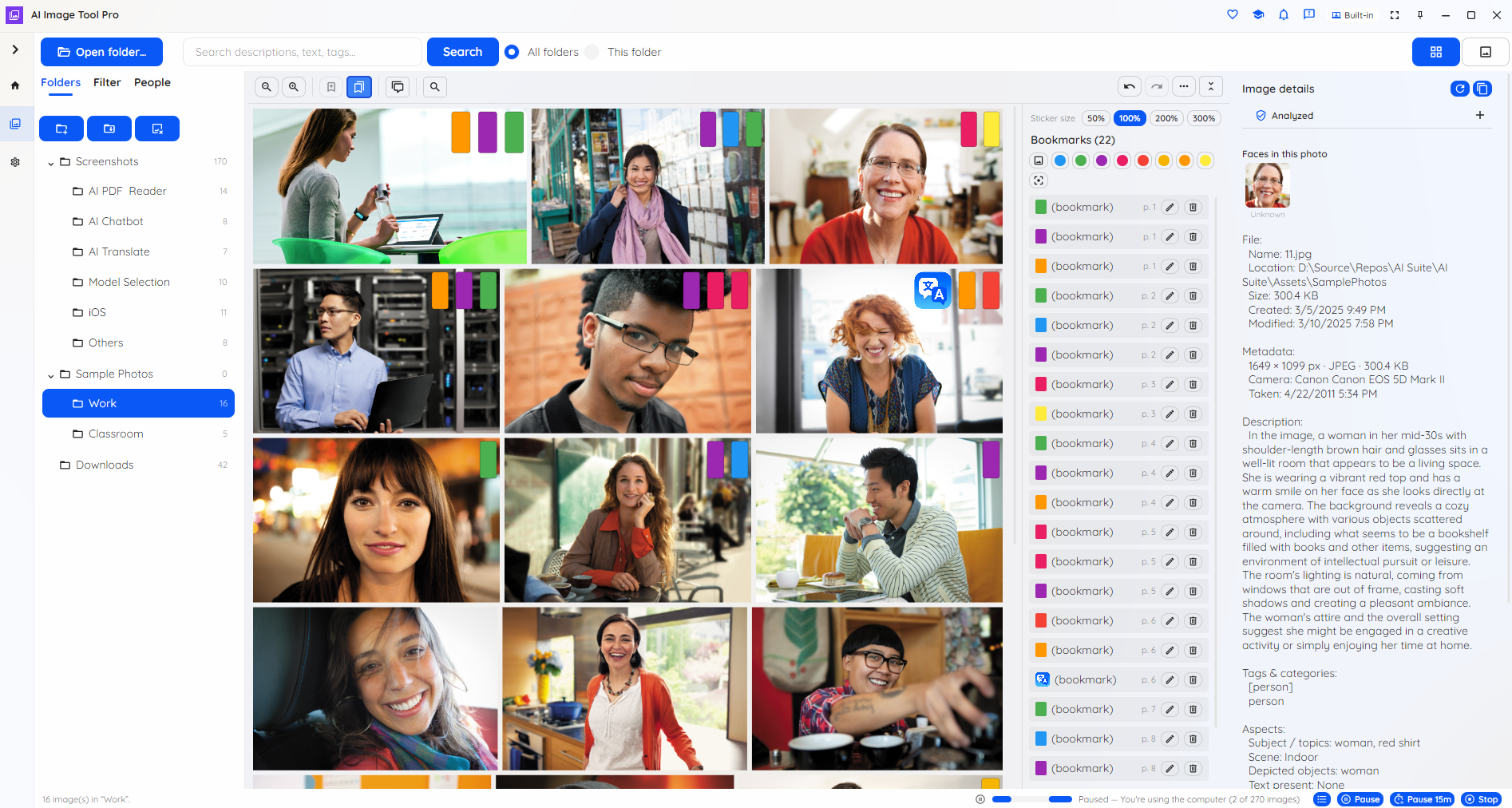
AI Image Tool packed photo gallery with bookmarks

Your gallery — browse, select and bookmark photos.

AI Image Tool single-image viewer with details panel

Open a photo and read its AI description and details.

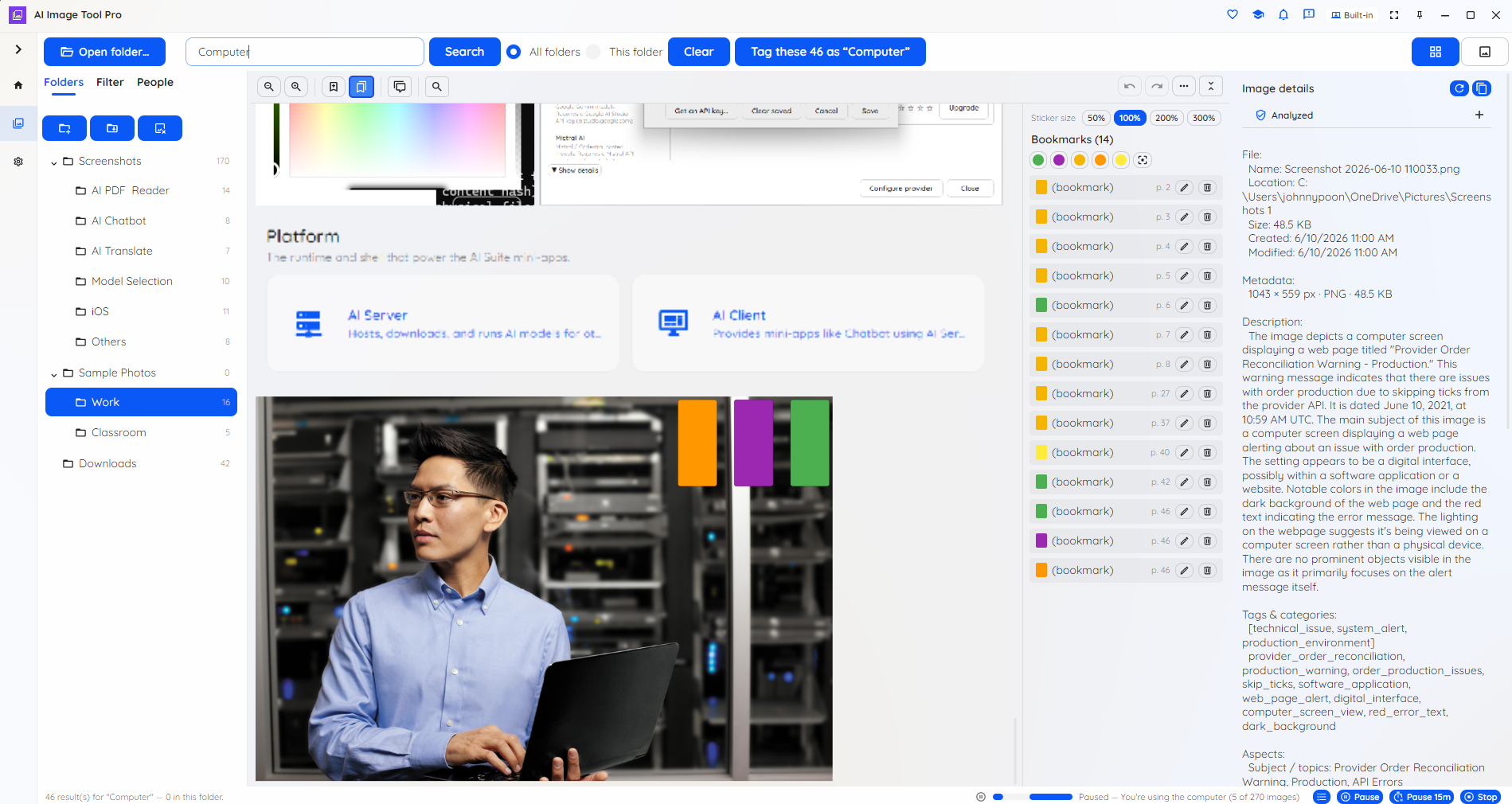
AI Image Tool semantic search results

Search by meaning or keyword across the collection.

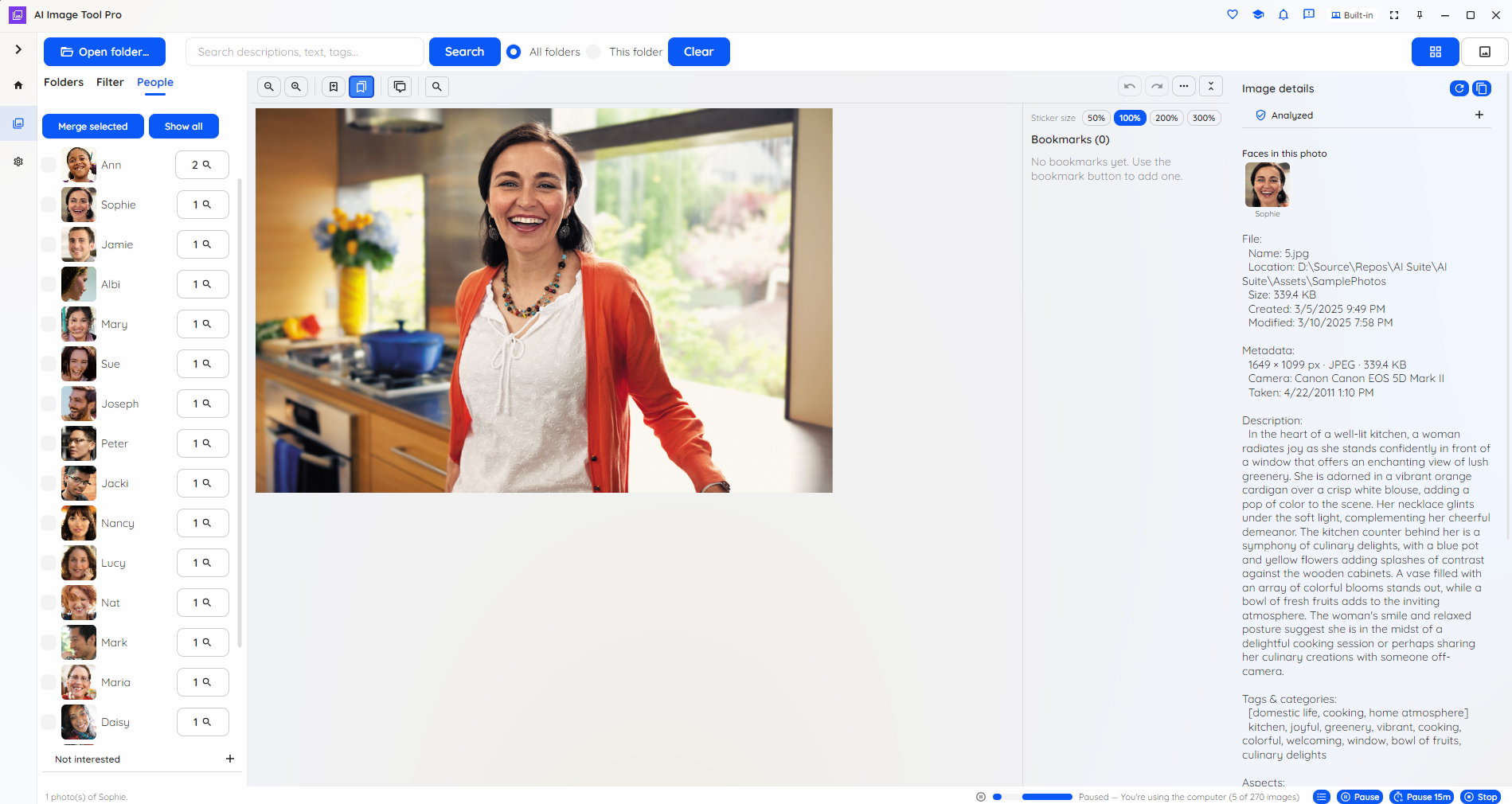
AI Image Tool people and faces grouping

Opt-in face grouping — look people up by name.

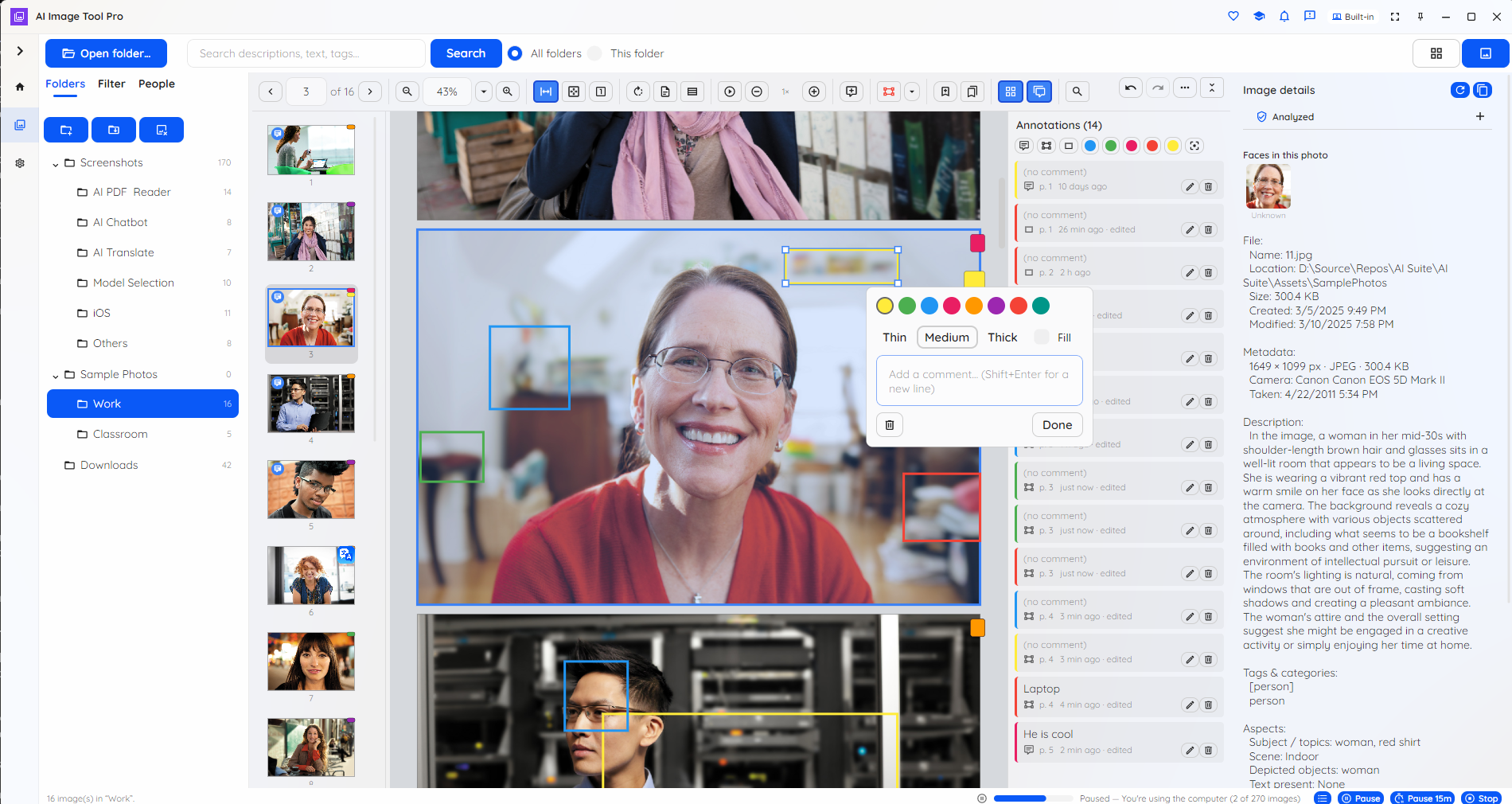
AI Image Tool annotating a photo with a region and comment

Mark regions and add comments — move and resize them.

AI Image Tool settings and per-task model pickers

Pick the models for description, detection and search.

HOW IT WORKS

From a folder of photos to a searchable collection

1. Open a folder

Point AI Image Tool at a folder of pictures and the gallery fills instantly. In the background it starts analysing each photo on your device — the free models download once on first use, then run offline.

2. Let it understand them

Each picture gets a description, object and scene tags, any readable text, and — if you opt in — grouped faces, all saved to an encrypted index right next to your photos.

3. Find, organise & edit

Search by meaning or keyword, filter by tags and people, sort into virtual folders, annotate and bookmark, adjust and export, or remove a background — all on your own machine.

WHO IT'S FOR

For photos that shouldn’t leave your device

When pictures are private, sensitive or simply too many to sort by hand, AI Image Tool brings the AI to the photos instead of the other way around.

Privacy & compliance

Personal, legal, medical, journalistic or classified imagery stays on the device — and face grouping is opt-in and off by default, which matters where biometric data is regulated.

No usage fees

No per-image or per-token cloud charges. Analyse and search as many photos as you like, and keep working offline.

Hours back

Stop scrolling through thousands of files. Captions, tags and semantic search turn a shoebox of photos into something you can actually find your way around.

Your data, your models

Choose which models run, keep photos and indexes on your own machines, and deploy across a fleet without sending anything to a third party.

Available where you work

AI Image Tool is available today on Windows from the Microsoft Store, with a headless CLI and a local server tier for automation. macOS, Linux, browser and mobile editions are on the roadmap.

PLANS

Start free. Upgrade to Pro when you need more.

Free includes on-device descriptions, object detection, OCR, opt-in face grouping, background removal, semantic and keyword search, virtual folders and tags, annotations, adjustments and export — no time limit and no nag screens. Pro unlocks larger, more accurate models for captions and detection, premium multilingual search-embedding models, and optional cloud providers.

Students, educators, researchers, non-profits and other qualified users can apply for a free 12-month Pro licence.

Make sense of your photos, privately

Free to start, on-device by design. Get AI Image Tool on Windows from the Microsoft Store, or read the plans first.

Get release updates

New free AI products, major updates, and a few releases available only via this site. No spam.