AI Notepad AI NOTEPAD

The notepad that formats itself — privately.

Just write. AI Notepad upgrades plain text to Markdown, Rich Text, then a Word document the moment you add something the format can't hold — so you never pick a file type, and nothing is ever lost. The AI runs on your machine, so your notes stay on your device.

Get it on Microsoft Store See what it does ↓

Free to start • Windows, macOS, Linux & browser • On-device AI works offline

WHAT AI NOTEPAD DOES

A private notepad with a writer's brain

Write in a real rich editor, let AI Notepad pick the right file format for you, and put on-device AI to work — rewrite, ask your notes questions, proofread — without anything leaving your machine.

Formats itself, never lossy

Start typing plain text. Make a word bold, add a colour, drop in a table or a picture, and AI Notepad quietly upgrades the file to the next format that can hold it — plain text → Markdown → Rich Text → Word. You never choose a file type, and nothing is lost. Pin a format yourself anytime; the status bar shows the current type and why.

A real rich editor

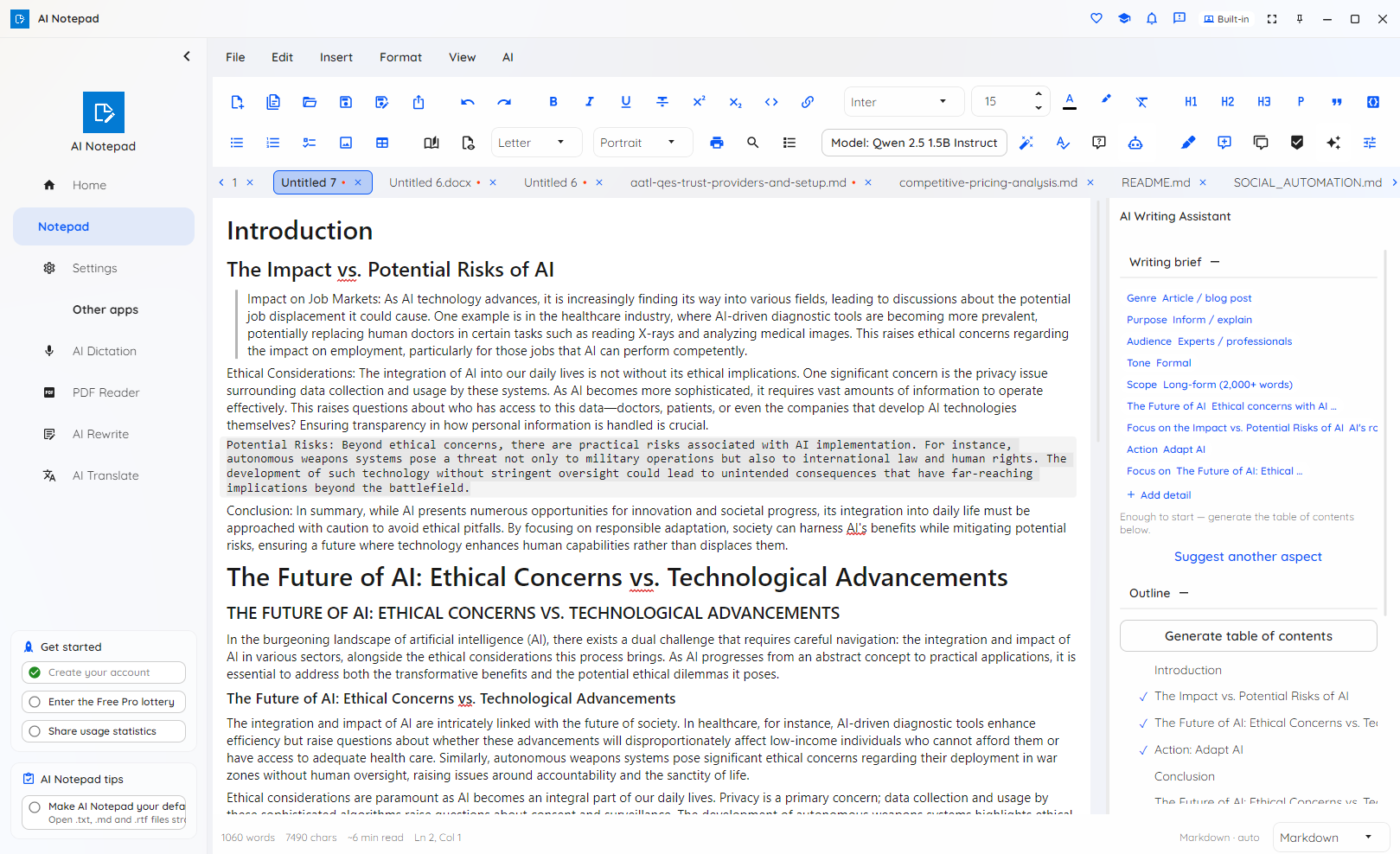
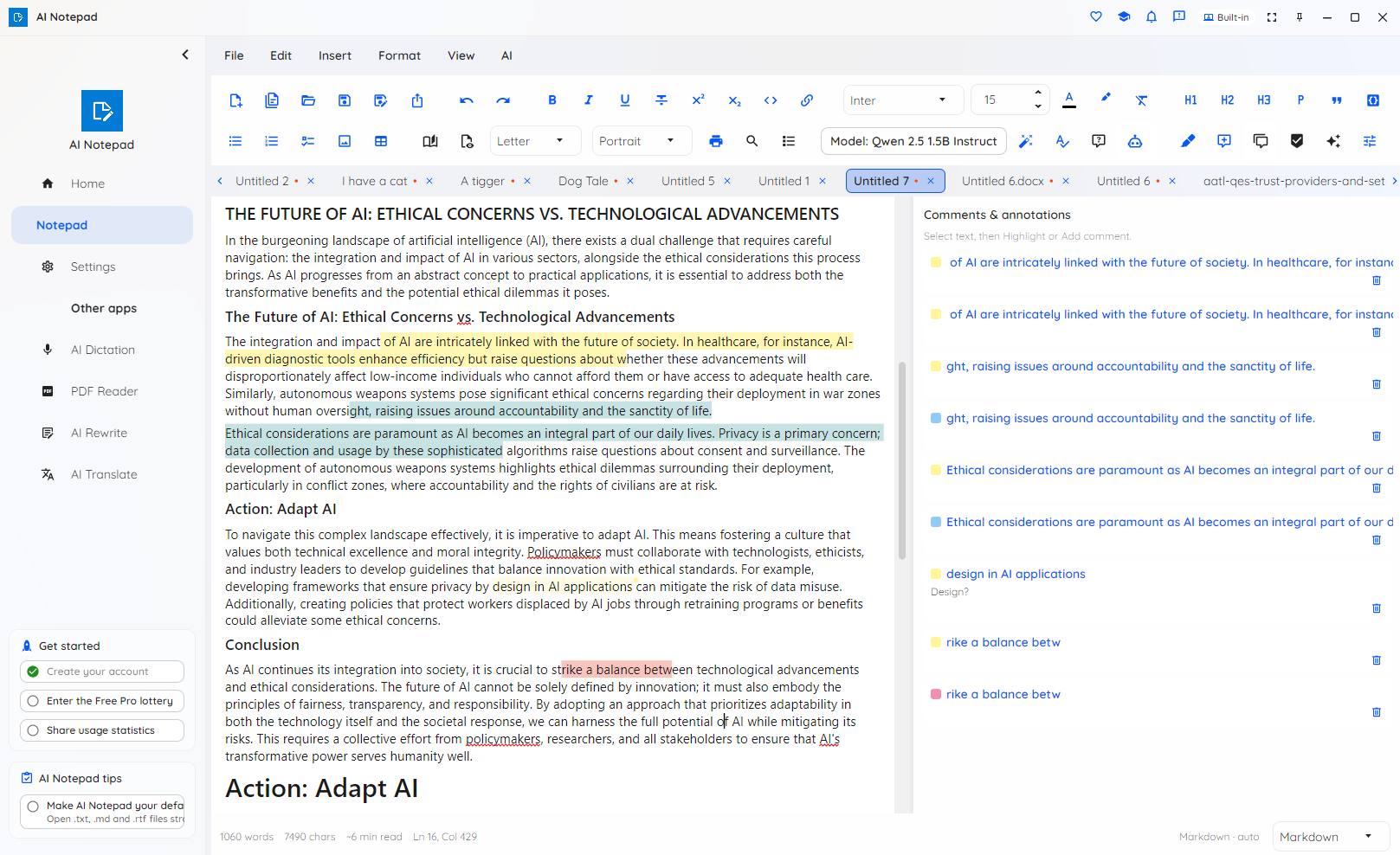
Headings, lists, quotes, code, fonts, sizes, colours and highlight; full tables with merged cells, shading, per-cell borders, diagonal-split headers, pictures in cells and even nested tables; images, find-and-replace, and a document navigator with outline and page thumbnails. Read mode and print with page layout, paper size and orientation.

On-device writing help

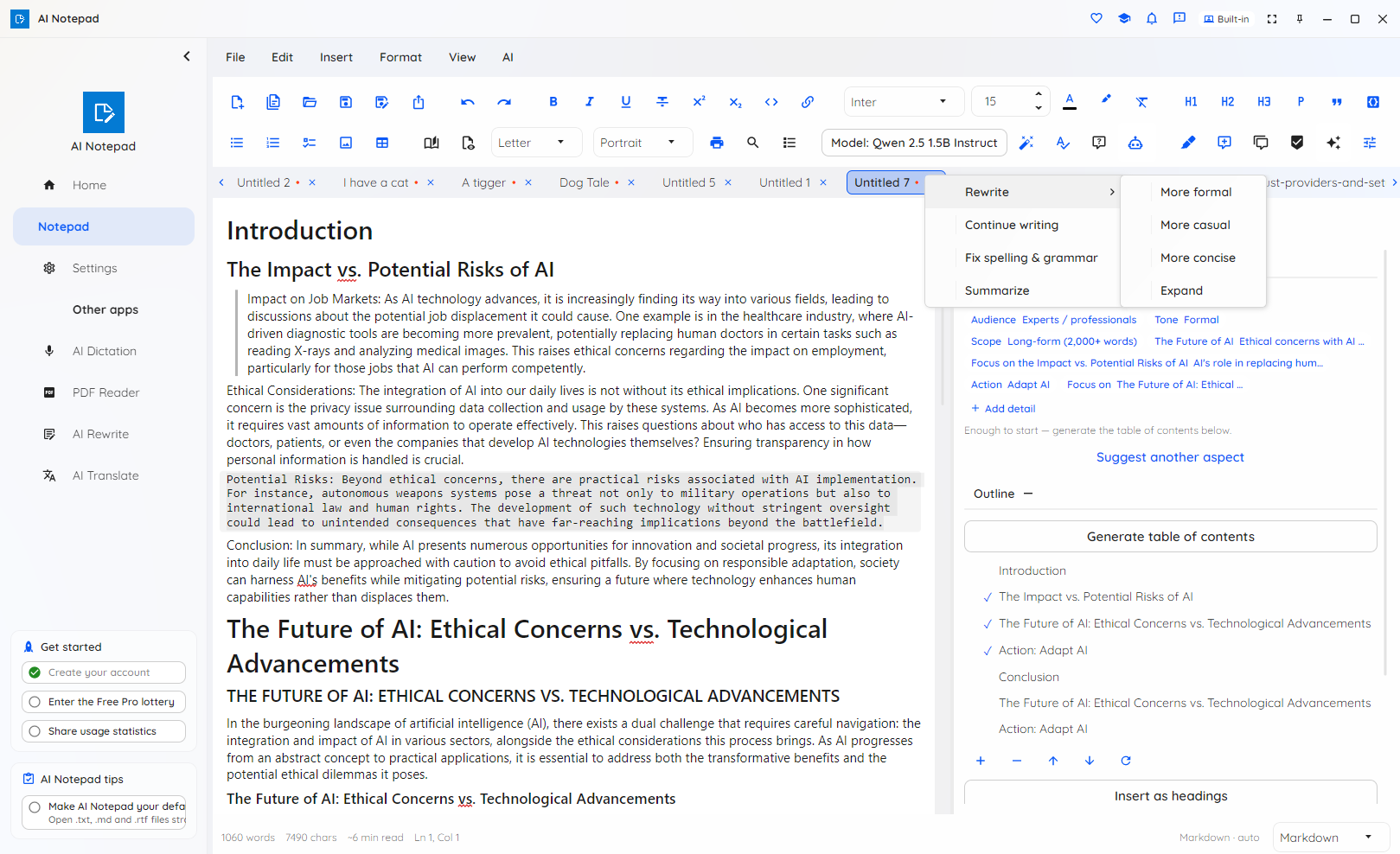
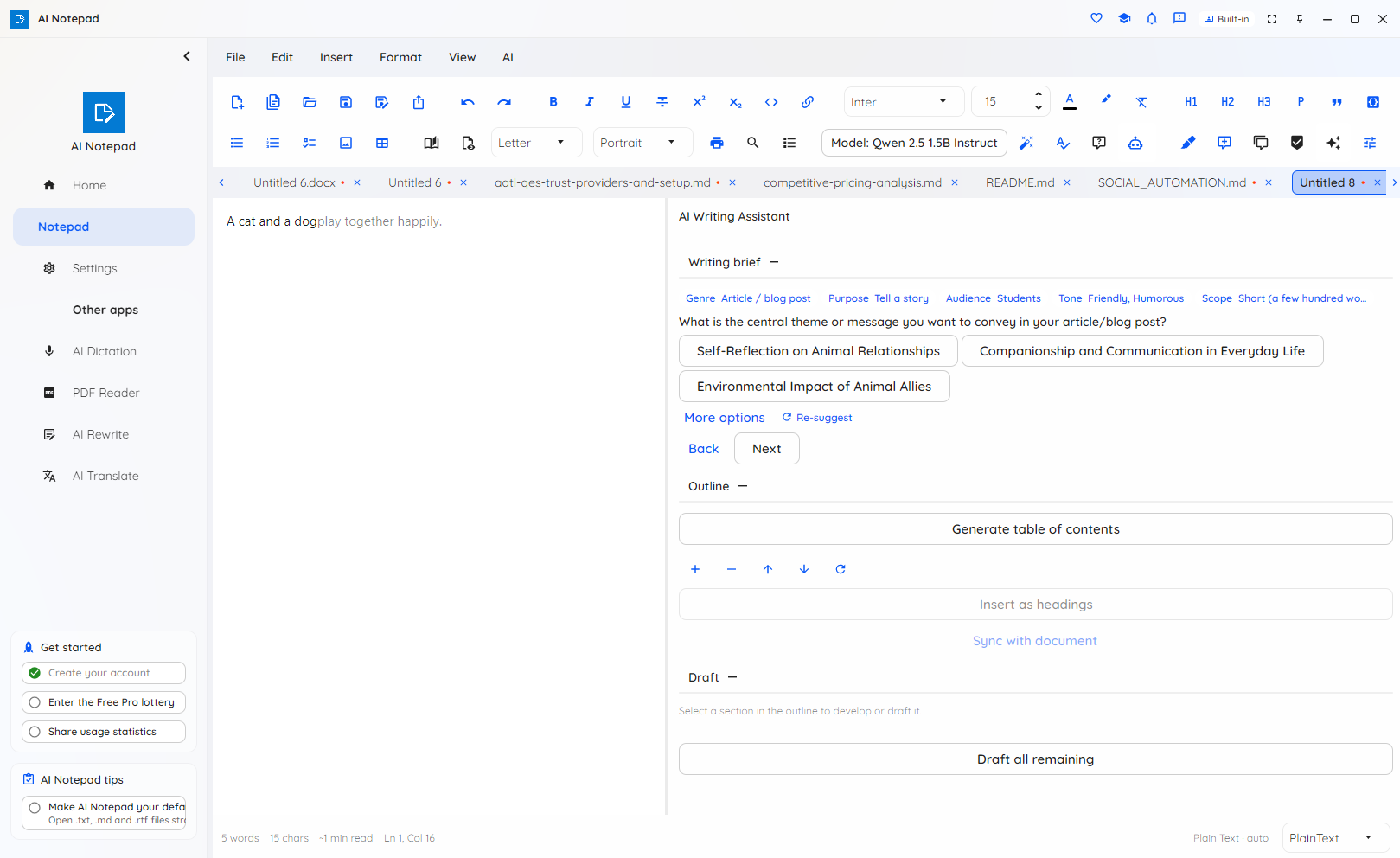
Rewrite, continue, fix grammar or summarize a selection — shown as a coloured accept/reject diff so you see exactly what changes before anything is applied. The AI Writing Assistant takes you from a guided interview to an outline to drafted prose, grounded in what you've already written.

Ask your notes — with citations

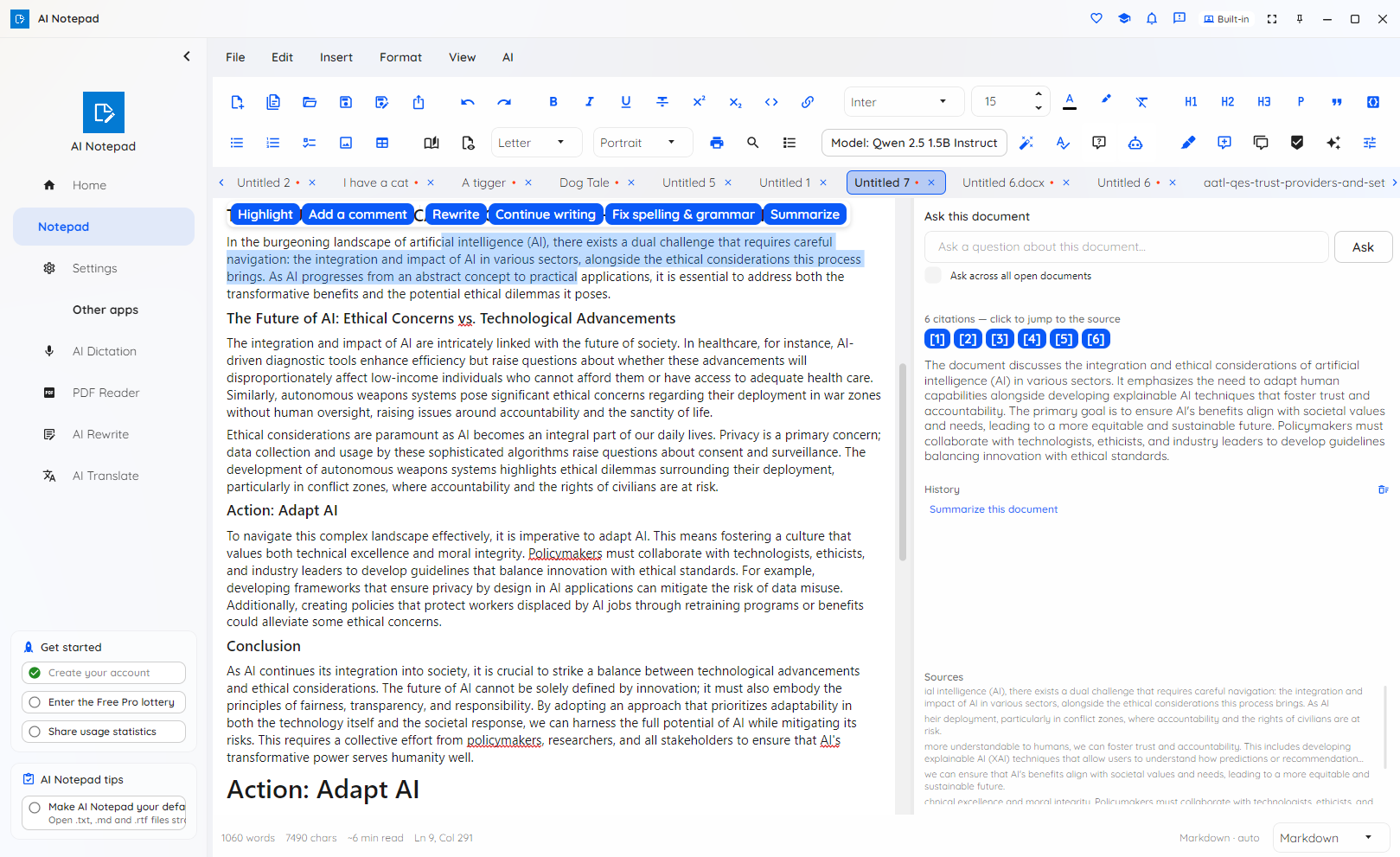
Ask a question and get an answer grounded in your note, with citations to the exact paragraph — click a citation chip to jump straight to it. Ask across every open document at once and each citation switches to the right tab and lands on the source. Find & replace works across all open tabs too.

Private by design, offline-ready

With an on-device model, writing help, Q&A and indexing all run on your machine — nothing is uploaded, and it keeps working with the network off after a one-time model download. Notes, recents, Q&A history, annotations, templates and your personal dictionary are encrypted at rest with AES-256-GCM, keyed to your device. Offline spell-check needs no model and works from first launch.

Templates & annotations

Start from a professionally-formatted template — letter, meeting notes, resume, report, invoice — or save your own. Highlights and comments anchor to your text and follow it as you edit, saved encrypted on your device. Reading, editing and deleting annotations is free; the one-click annotation toolbar is Pro.

Choose your model

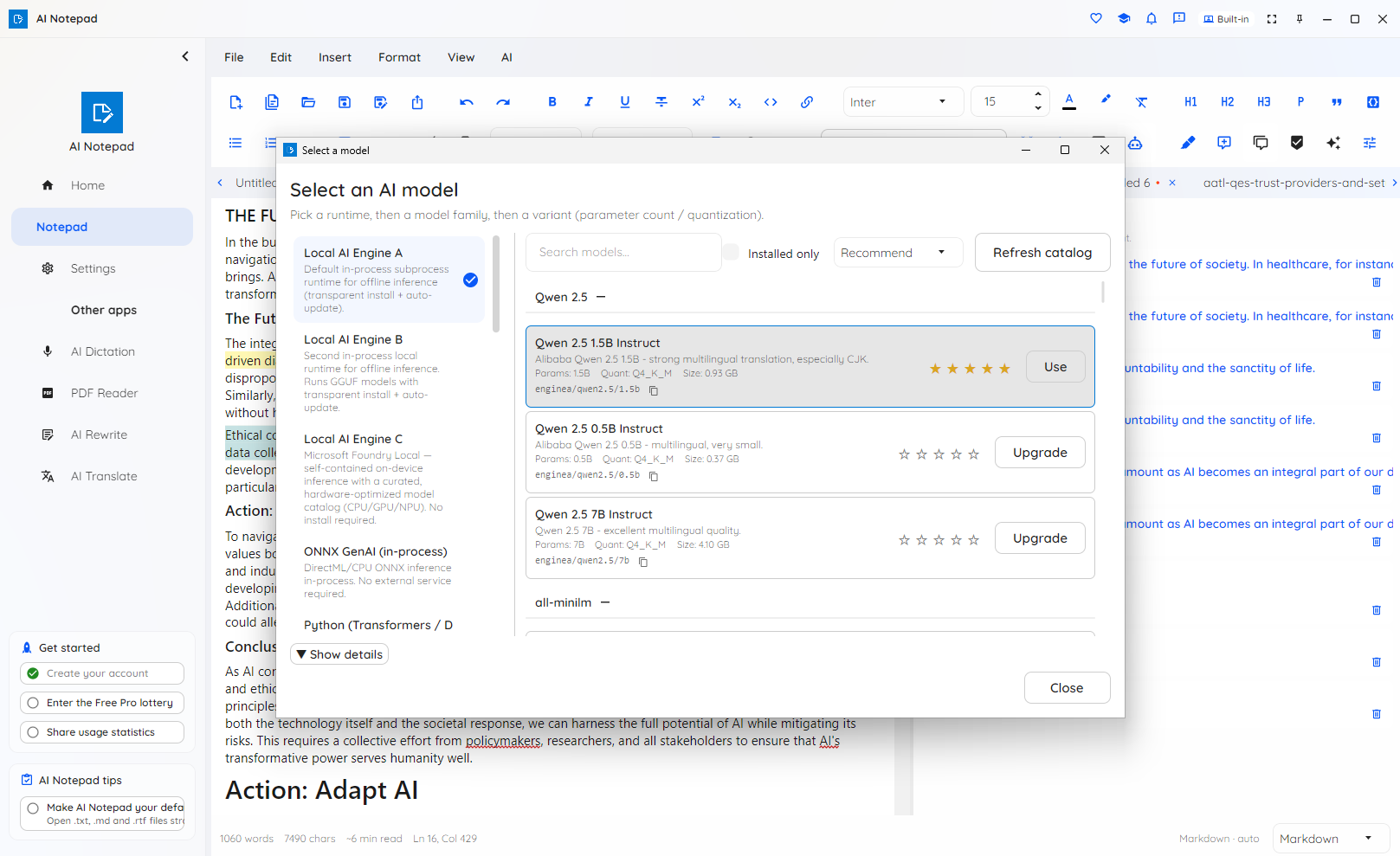
Free runs the whole editor and AI on a capable built-in on-device model — selected and downloaded automatically the first time you use an AI feature. Pro unlocks larger, more capable on-device models for every AI feature and the other embedding models for sharper Q&A. It is local AI, not cloud.

In your language

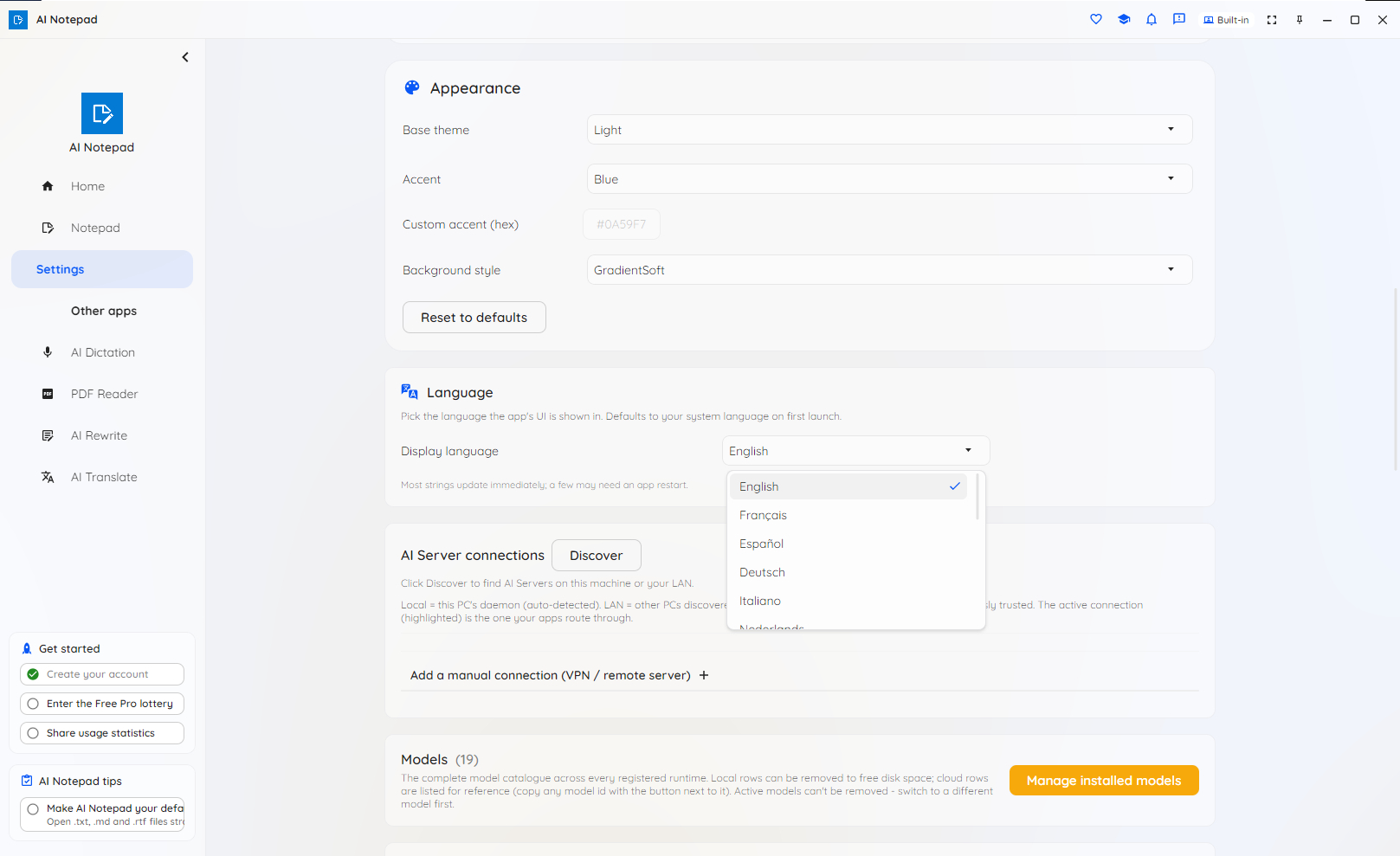
The whole interface — editor, panels and menus — is available in 16 languages and follows your operating system's language automatically, with a one-click switch in Settings. A readable Light or Dark editor keeps your text comfortable without changing what's stored in the document.

Scriptable & automatable

The headless ainotepad command-line tool converts documents and can index, ask, summarize and proofread from the terminal — and doubles as an MCP server so AI clients and agents can drive it, entirely on your own infrastructure.

SEE IT IN ACTION

Write, ask and mark up — in one window

A familiar editor that quietly does more: AI tools for your text, questions answered from your notes, a guided writing assistant, your own choice of on-device model, and 16 interface languages.

AI Notepad main editing view with formatted text

A real rich editor — tables, pictures, navigator and more.

AI Notepad AI tools menu for the selected text

Rewrite, continue, fix grammar or summarize a selection.

AI Notepad asking a question about the document with citations

Ask your notes — answers cite the exact paragraph.

AI Notepad writing assistant guiding a draft from an outline

The Writing Assistant: interview → outline → draft.

AI Notepad highlighting and commenting on text

Highlight and comment — anchored to your words.

AI Notepad on-device model picker

Pick the on-device model that runs your AI.

AI Notepad interface language selection

A full interface in 16 languages.

HOW IT WORKS

Just write — in three steps

1. Open a blank page or a template

Start from nothing or a professionally-formatted template, and just type. Coming from the old AI Notepad? Your notes are imported automatically the first time you launch, and your originals are left untouched.

2. Format and write with AI

Add bold, colours, tables or pictures and the file upgrades itself to the right format. Call on the on-device AI to rewrite, continue, fix grammar or draft from an outline — the free model downloads once on first use, then runs offline.

3. Ask, mark up and save

Ask questions about your notes and click a citation to jump to the source, highlight what matters, then save as .txt, .md, .rtf or .docx — or export to PDF or a web page. Your notes and history stay encrypted on your device.

WHO IT'S FOR

Built for notes that can't leave the building

When your writing can't go to the cloud, AI Notepad brings the AI to your notes instead.

Privacy-conscious

For anyone who wants their notes to stay on their own device. The AI runs locally, and notes, history and annotations are encrypted at rest — nothing is uploaded.

Regulated & enterprise

Legal, healthcare, finance and government teams keep text on the machine or intranet, encrypted at rest — with content-free, consent-gated telemetry that never sees your text, prompts or file names.

Offline & air-gapped

After a one-time model download, the AI works with no network at all — ideal for disconnected and air-gapped environments. Spell-check needs no model and works from the very first launch.

No usage fees

No per-token or per-page cloud charges. Pay once for the app, write as much as you like, and keep working offline — with a shared index that's reused across AI Suite so you embed each document only once.

Available where you work

AI Notepad runs on Windows, macOS and Linux, and in your browser, with a headless CLI and MCP server for automation. Get it today from the Microsoft Store on Windows — mobile editions for Android and iOS are planned.

PLANS

Start free. Upgrade to Pro when you need more.

Free covers the whole editor and every AI feature on a capable built-in on-device model — no time limit and no nag screens. Pro adds larger, more capable on-device models for the AI features, the other embedding models for sharper Q&A, and the one-click annotation toolbar. It stays local AI either way — not cloud.

Students, educators, researchers, non-profits and other qualified users can apply for a free 12-month Pro licence.

Write smarter, privately

Free to start, on-device by design. Get AI Notepad on Windows from the Microsoft Store, or read the plans first.

Get release updates

New free AI products, major updates, and a few releases available only via this site. No spam.