AI Translate AI TRANSLATE

Translate anything. Keep it on your device.

AI Translate runs local AI models right on your machine, so your text doesn't have to leave it. 30 languages, documents and images included, no word caps. Prefer a cloud model for a tricky passage? That's one click — and entirely your call.

Get it on Microsoft Store See what it does ↓

Free to start • Windows, macOS, Linux & iOS • Local models work offline

WHAT AI TRANSLATE DOES

Private translation that runs on your computer

Pick a model, choose your languages, and translate — text, whole documents, or text inside images. With a local model, none of it leaves your device.

Offline by default, private on purpose

Once a local model is installed, AI Translate works with the network off. Your source text and translations stay on your device, and nothing about what you translate is logged. Cloud models (OpenAI, Anthropic, Google) are opt-in and clearly marked.

One app, every desktop

The same AI Translate runs natively on Windows, macOS, and Linux, with iOS available now and Android on the way. Same interface, same model picker, same translation history wherever you work.

Documents and images, handled

Drop in a PDF, Word, Excel, PowerPoint, HTML, RTF, or source-code file and get the translation back. Images are read with on-device OCR before translating — no separate cloud vision service to set up.

Translate in the right voice

Set the formality, choose a tone, point the model at a subject domain (legal, medical, technical and more), and keep a glossary so your product names and house terms come out consistent every time.

Choose your model

Start free with a capable on-device model, step up to the full set of premium local models on Pro, or connect a cloud provider for the hardest passages. The picker shows which models run locally and which call a provider.

Keep your history

Every translation is saved to a history you control, with one-click restore and retention you set (a number of days, or keep forever). It is stored with your settings on your device — never mined for ads.

No word caps, ever

There is no per-word or per-character limit. Translate a single sentence or a 200-page document — you pay for the app, not for usage.

30 languages

Translate across 30 languages with automatic source-language detection, and add your own language entries when you need something beyond the built-in set.

SEE IT IN ACTION

A clean, focused translator

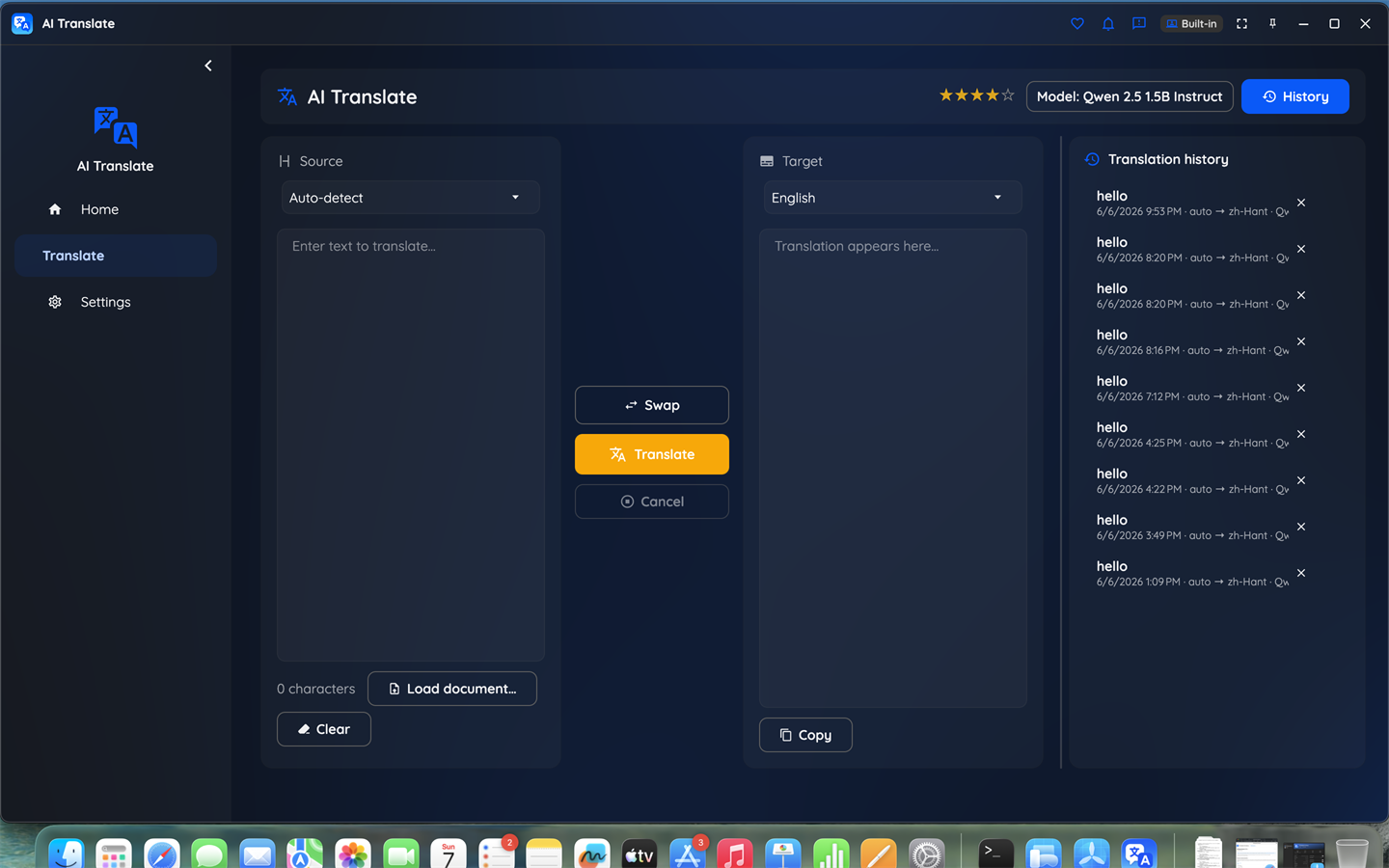
Pick your languages, type or drop in a file, and read the translation as it streams — with the model, tone, and history controls a click away.

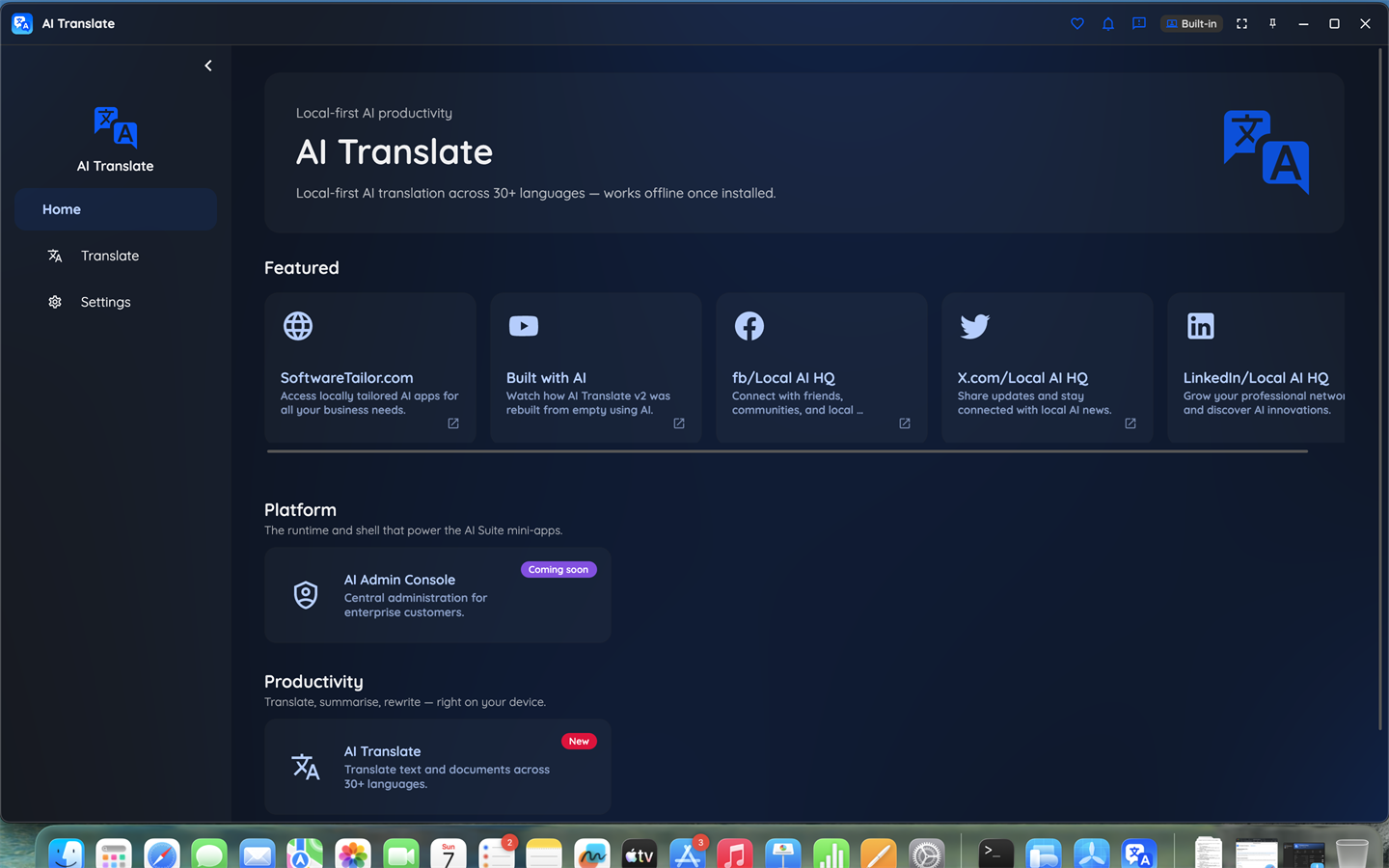
AI Translate home screen showing the model picker and language selection

Start screen — choose a model and your languages.

AI Translate translating text between two languages with streaming output

Translate text or documents, with tone and domain controls.

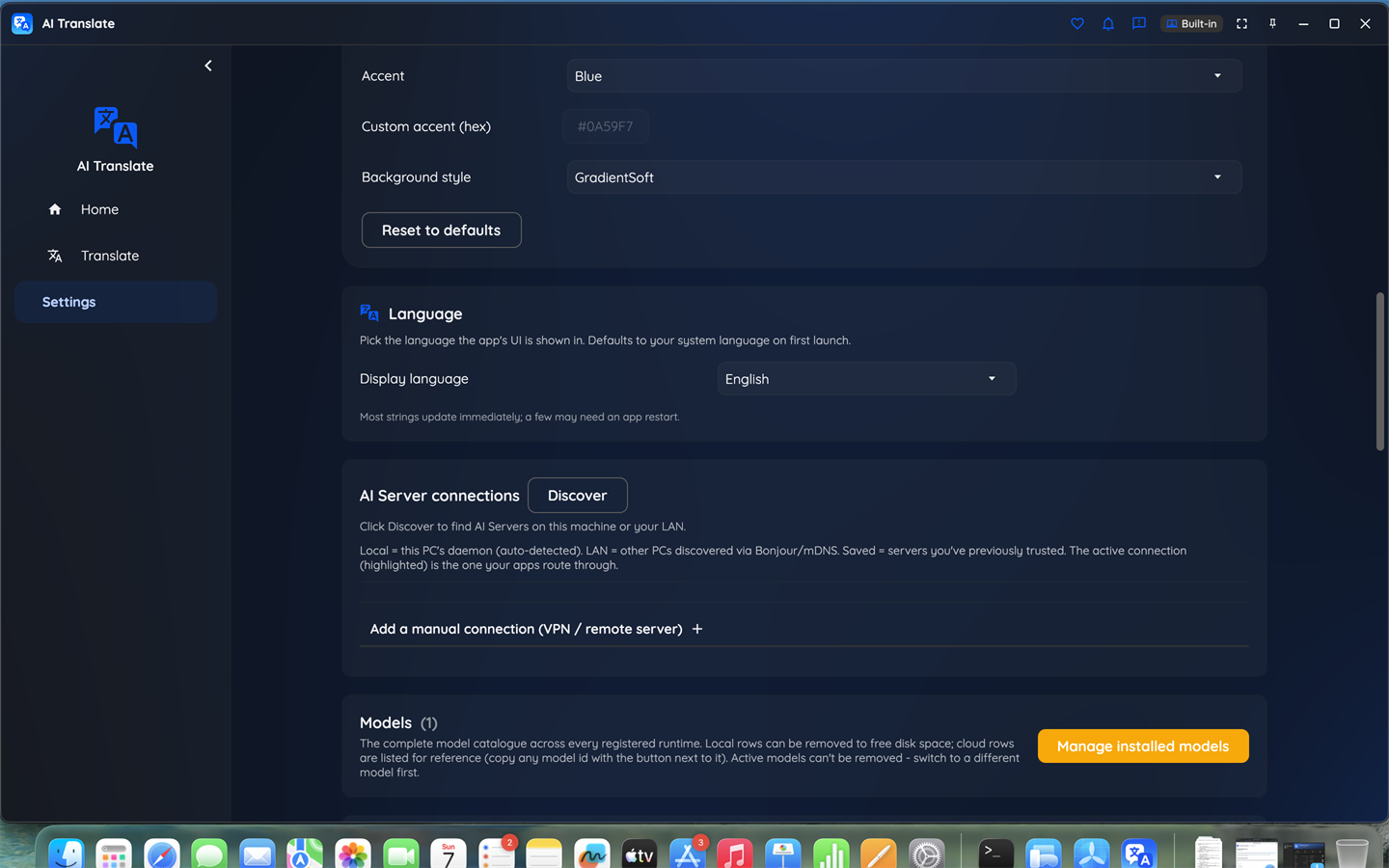
AI Translate settings screen with model management and preferences

Manage models, history retention, and preferences.

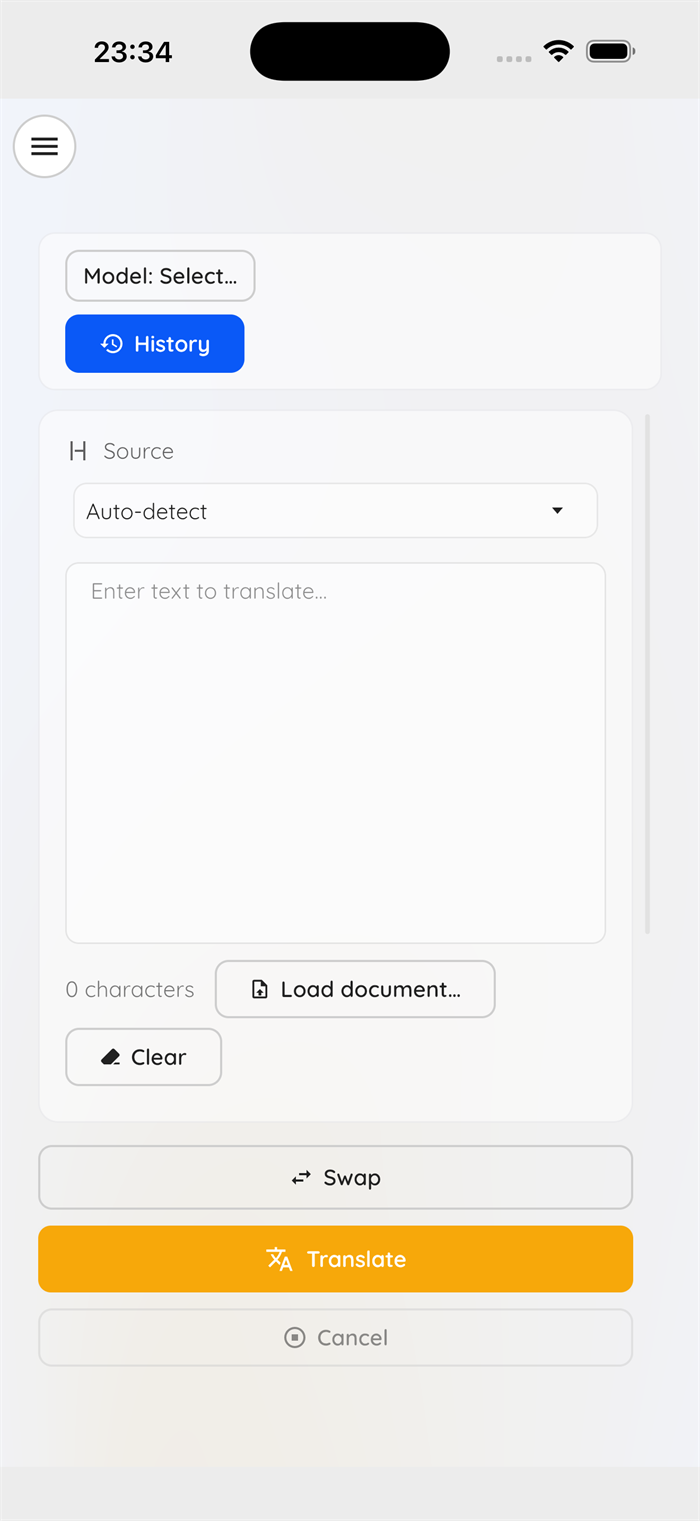
AI Translate running on an iPhone

Desktop and iPhone shown — also on macOS and Linux, with Android on the way.

HOW IT WORKS

Up and running in three steps

1. Install and pick a model

Install AI Translate and choose a model. The free on-device model downloads once (about 1 GB) and then lives on your machine.

2. Translate offline

Type or paste text, or load a document or image. Translation runs locally — you can turn the network off and it keeps working.

3. Reach for the cloud only if you want

Need extra horsepower on a tricky passage? Switch to a cloud provider for that translation in one click. It is always your choice, and always clearly marked.

Available where you work

AI Translate ships on Windows, macOS, Linux, and iOS, with Android on the roadmap. You can get it today from the Microsoft Store on Windows — macOS, Linux and iOS store links are coming soon.

PLANS

Start free. Pro plans for personal and commercial use.

Free includes a capable on-device model, every language, document import, and on-device OCR — no time limit and no nag screens. Pro unlocks every premium model and the cloud providers; choose a Personal or Commercial licence depending on how you use it.

AI Translate is a subscription, not a one-time purchase. Prices are shown in your local currency at the store checkout.

Translate privately, today

Free to start, on-device by design. Get AI Translate on Windows from the Microsoft Store, or read the plans first.

Get release updates

New free AI products, major updates, and a few releases available only via this site. No spam.