AI Voice Generation AI VOICE GENERATION

Type it. Hear it. In a voice of your own.

Turn any text into natural-sounding speech — and clone a voice of your own from a short clip — right on your device. With an on-device voice, everything runs on your own machine, so your script and your voice samples never have to leave it.

Get it on Microsoft Store See what it does ↓

Free to start • Your first voice clone is free • The on-device voice works offline
WHAT AI VOICE GENERATION DOES

A local-first text-to-speech and voice-cloning studio

Paste a sentence, a paragraph or a whole script, pick a voice, and press generate to hear natural speech. Want a specific voice? Record or drop in a short reference clip and the app builds a custom cloned voice you can reuse — all running on your own computer by default.

KEY FEATURES

Everything you need to make speech you're proud of

A real voice library, your own cloned voices, instant replay, and exports — all on your own device.

Text to speech in one click

Type or paste text — there's no length limit for the offline voice — pick a character, and press Speak to hear it streamed back to you. Stop finishes cleanly any time.

Clone a voice of your own

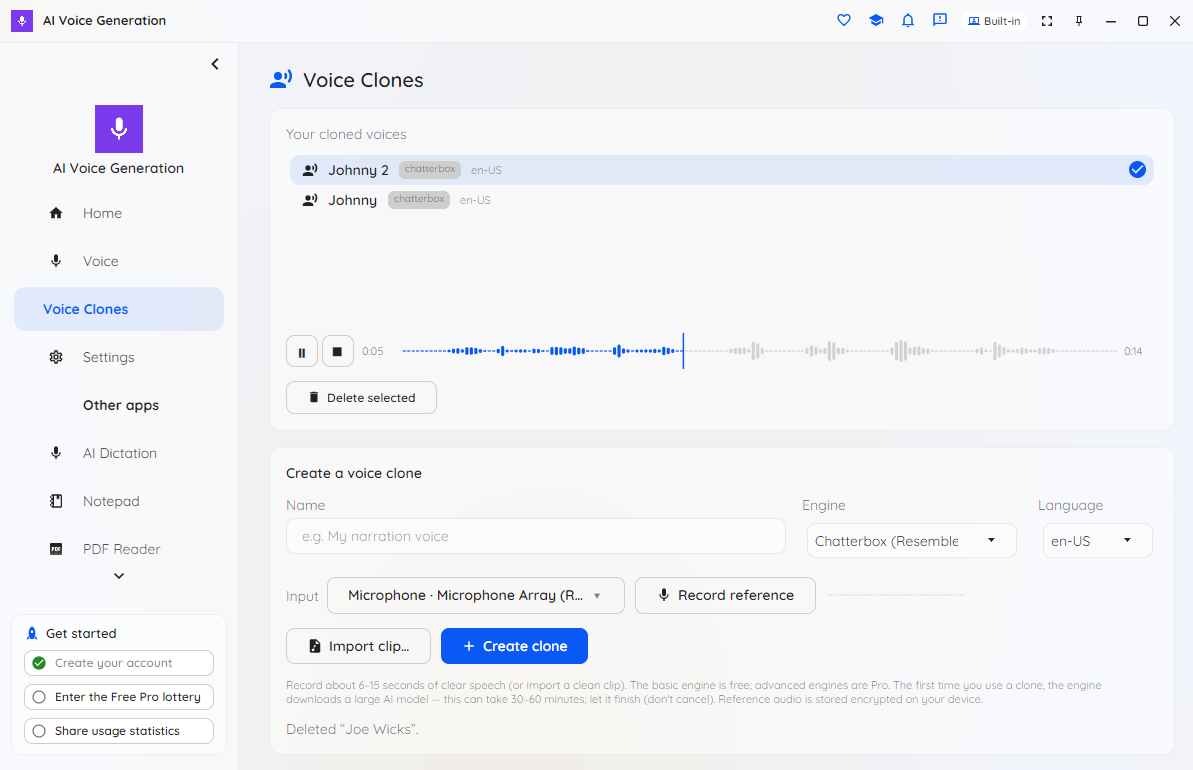
Make a custom voice from a short reference clip — record 6–15 seconds or import a file — with no training step and no studio. Your clones appear at the top of the picker for instant reuse, and your first clone is free.

A real voice library

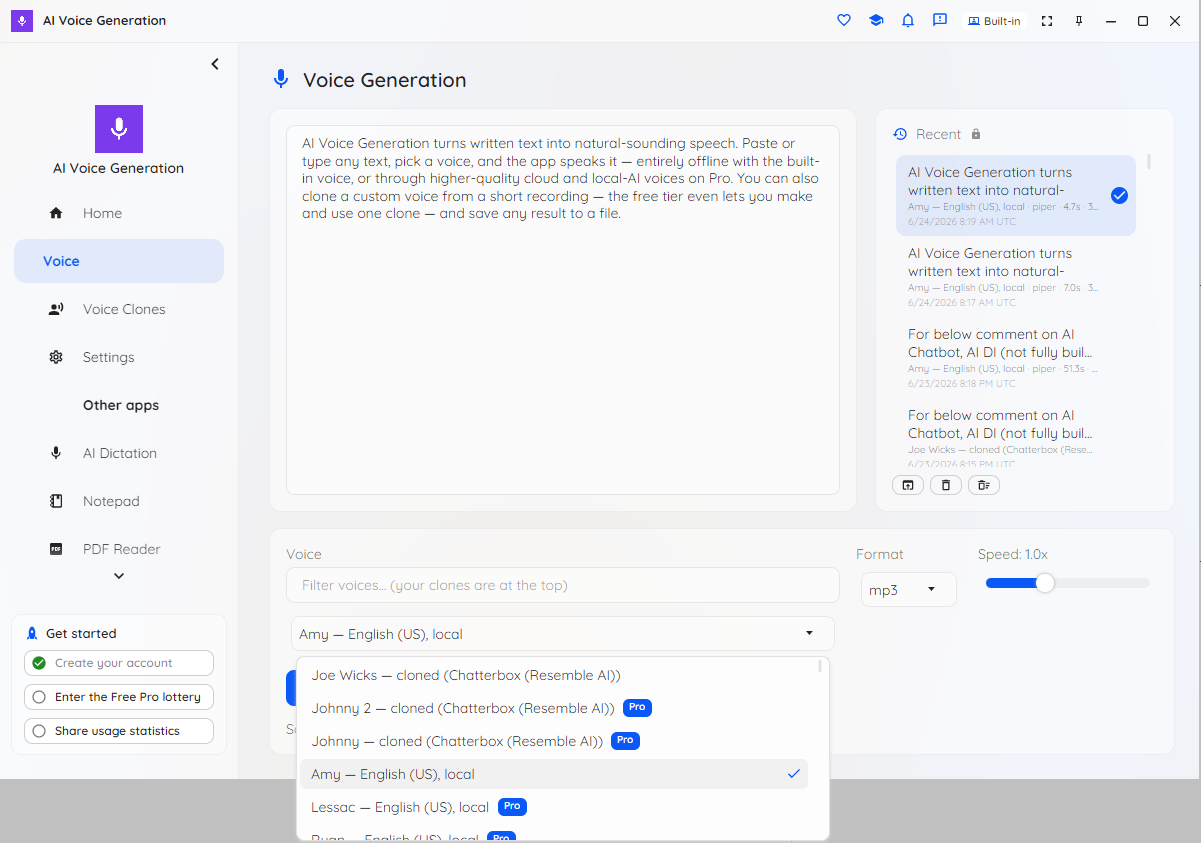
Choose from the built-in offline voice, premium cloud voices, high-quality on-device neural voices, and your own clones — all from one searchable picker.

Find any voice fast

Type in the quick-filter box above the list to narrow it instantly by name or language. Your cloned voices stay grouped at the top so they're always one click away.

Replay without re-synthesizing

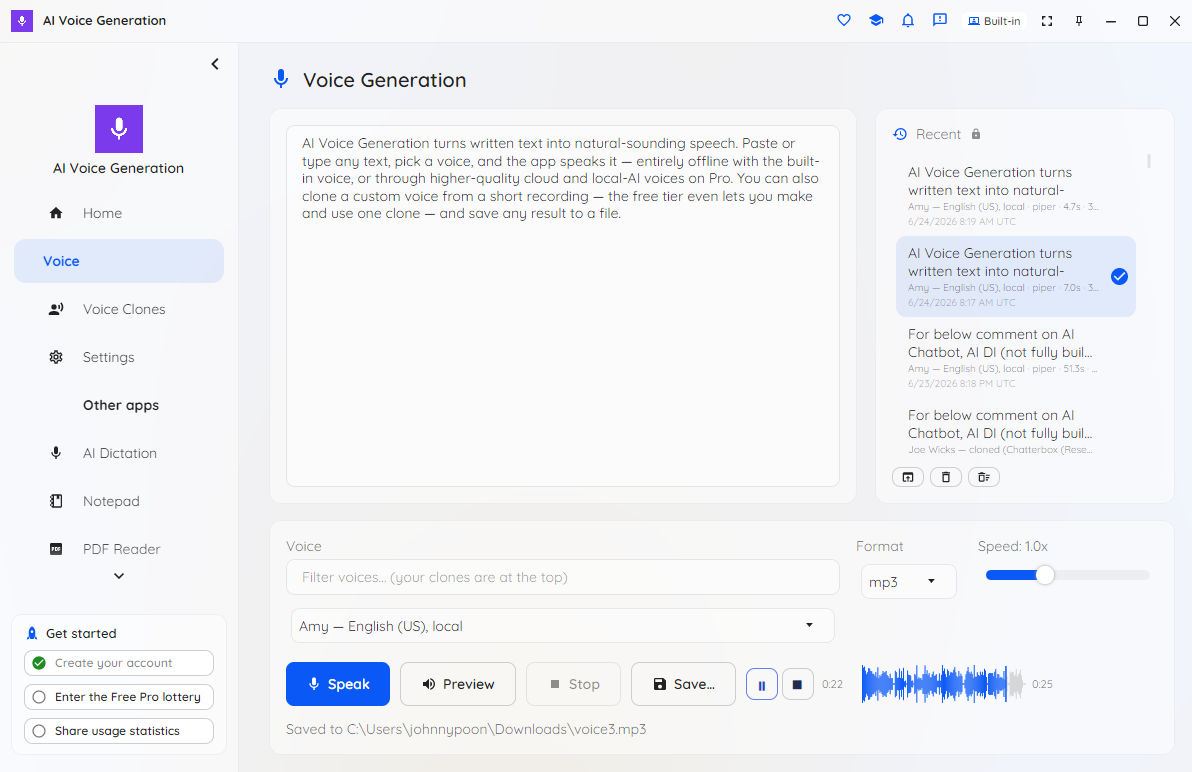
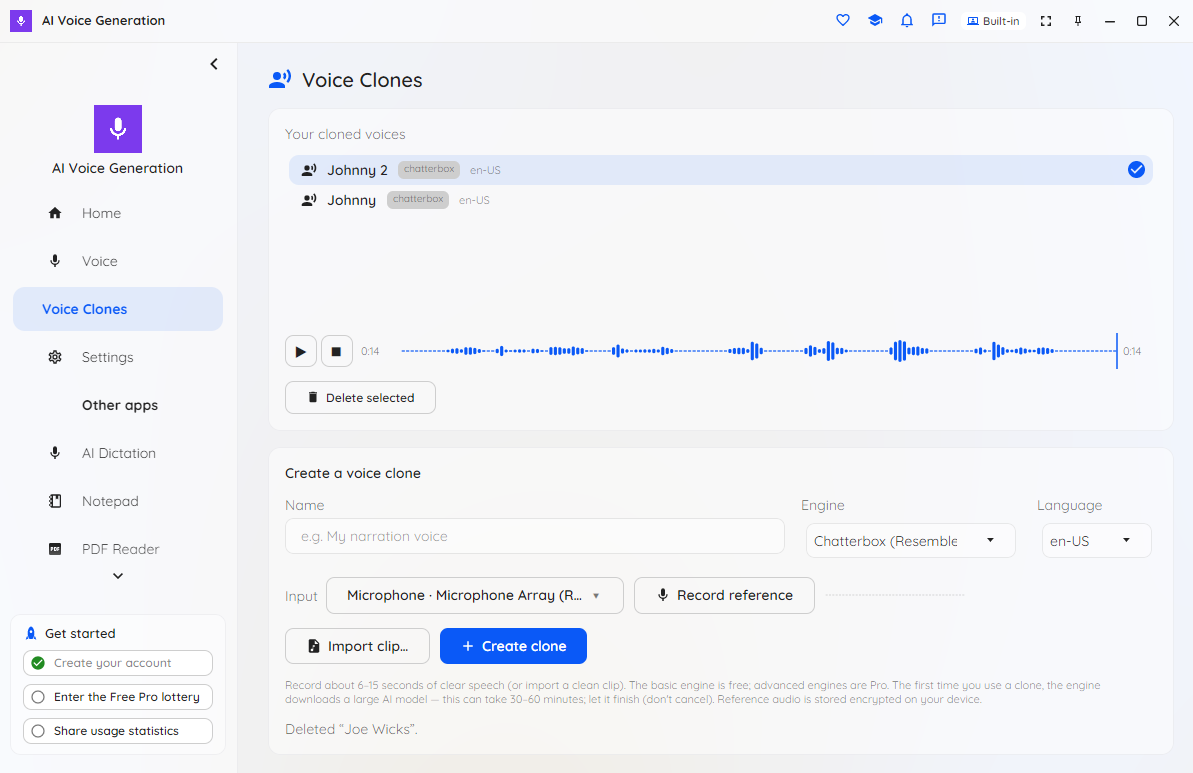
A seekable clip player with a waveform scrubber replays your last generated clip and your clone reference clips instantly — no need to regenerate. Adjust speaking speed from 0.5× to 2.0× without changing pitch, then export as WAV or MP3.

Offline by default, private on purpose

The built-in Amy voice runs fully on your device — turn the network off and it keeps working. Clone reference audio and your generation history are stored encrypted on the device. Only the optional cloud voices ever send your text off-device, and only when you choose them.

In 16 languages

The interface is available in 16 languages and follows your operating system automatically, with a one-click switch in Settings. Voices speak a wide range of languages too.

Choose your engine

Start free with the on-device Piper voice. Pro adds premium OpenAI-compatible cloud voices, high-quality on-device neural voices (Kokoro, Parler-TTS), and advanced cloning engines (OpenVoice, Zonos, MetaVoice) — pick the right tool for each job.

Built for flow

A live status line reports progress as audio is generated, full keyboard accessibility keeps you fast, and a headless command-line tool scripts batch generation. Keep on-device AI voices loaded between generations so repeats start instantly.

HOW IT WORKS

From text to spoken audio in three steps

1. Type your text

Type or paste what you want spoken. The free on-device voice downloads once on first use (~60 MB), then runs offline — nothing is sent anywhere.

2. Pick a voice and speak

Choose the offline Amy voice, your own cloned voice, or a Pro library voice, set the speed, and press Speak. The audio streams in and plays back.

3. Replay and save

Scrub and replay the clip with the seekable player — no need to regenerate — then save it as a WAV or MP3 file for narration, podcasts or accessibility audio.

FREE VS PRO

A free voice and a free clone — not just a trial

The free tier gives you a real voice and a real cloned voice. Pro is about choice — the full library, cloud and on-device neural voices, and unlimited clones.

Free

  • The offline Amy voice (Piper) — fully on your device, no account, no limits
  • Your first cloned voice, made with the free cloning engine — shown at the top of the picker with no Pro badge
  • The complete app — speak, stop, speed, the seekable player, exports, the quick filter and the CLI
  • No per-character meter and no usage cap

Pro

  • All other Piper voices (more characters and languages)
  • Cloud voices — premium OpenAI-compatible voices using your own API key
  • Local-AI voices (Kokoro, Parler-TTS) — high quality, on your device, nothing sent anywhere
  • Unlimited clones and the advanced cloning engines (OpenVoice, Zonos, MetaVoice)

Pro comes in Personal and Commercial terms; both unlock the same voices — the difference is the licensing terms, not capability. Students, educators, researchers, non-profits and other qualified users can apply for a free 12-month Pro licence.

Everything runs offline by default. Only the optional cloud voices and the optional AI-Server clone offload ever send data off your device, and only when you choose them. On-device neural voices and large cloning models download big files on first use (the heaviest can take 30–60 minutes); the offline Amy voice downloads just ~60 MB.

WHO IT'S FOR

For anyone whose words — and voice — are worth keeping private

When the script is sensitive or the voice is yours to keep, AI Voice Generation brings the AI to your text instead of sending your text and voice samples to the cloud.

Content creators

YouTubers, podcasters and video editors who need voiceovers and narration — and a consistent custom voice they can reuse across episodes without re-recording.

Accessibility

Anyone who wants text read aloud in a clear, consistent on-device voice that works offline — no account, no usage fees.

Educators & e-learning

Teachers and course authors turning lesson scripts, slides and handouts into narrated audio in a private, no-account workflow.

Developers & privacy-sensitive teams

A headless command-line tool scripts batch speech generation, while organizations that can't send scripts or voice likenesses to a third-party cloud get encrypted-on-device storage and an offline default.

SEE IT IN ACTION

A look inside AI Voice Generation

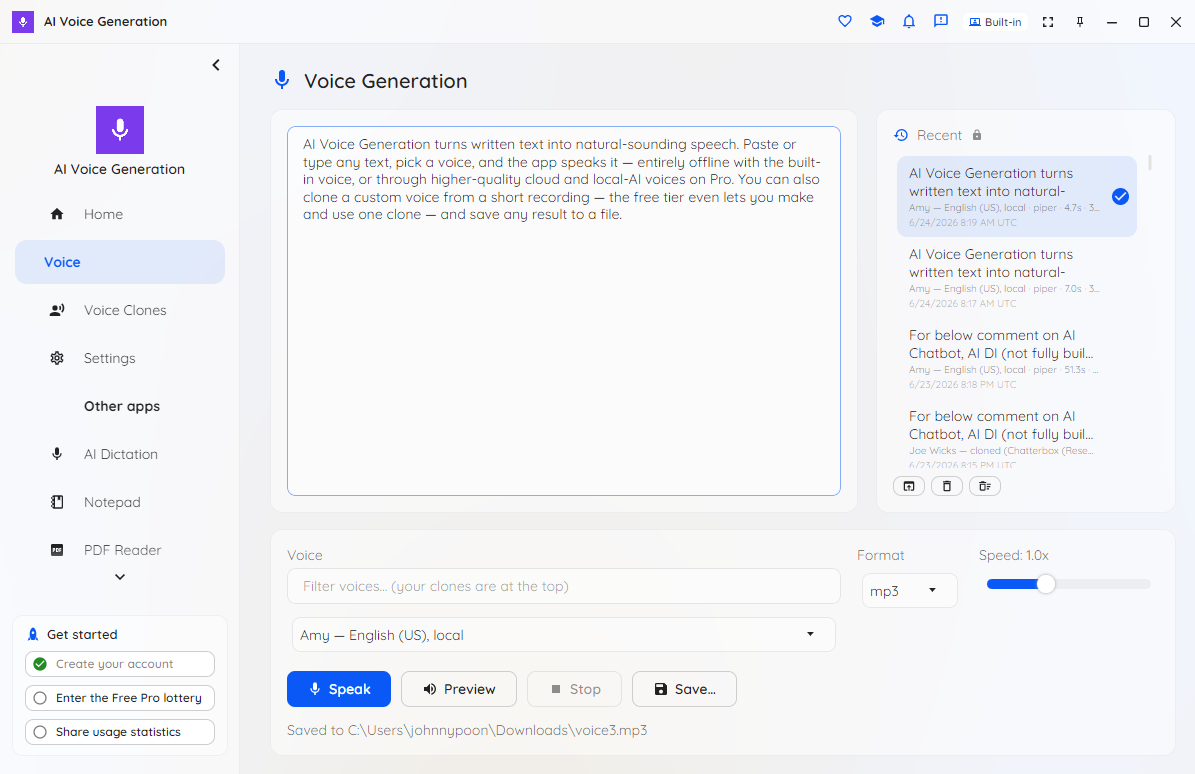
The AI Voice Generation page with text entered, the voice picker, speed control and the Speak, Stop and Save buttons

The Voice page: type your text, pick a voice and speed, and press Speak — with a live status line as the audio is generated.

The voice picker open, with cloned voices grouped at the top and a quick-filter search box to narrow the list

A searchable voice library — quick-filter to find any voice, with your clones pinned to the top.

The seekable clip player with a waveform and scrubber replaying a generated clip

Replay any clip instantly with the seekable waveform player — no need to re-synthesize.

The Voice Clones page where a custom cloned voice is created from a reference clip

Create a custom cloned voice from a short reference clip — your first clone is free.

Choosing a cloning engine, with the free engine and advanced Pro engines listed

Pick a cloning engine — the free engine to start, or advanced engines with Pro for higher quality.

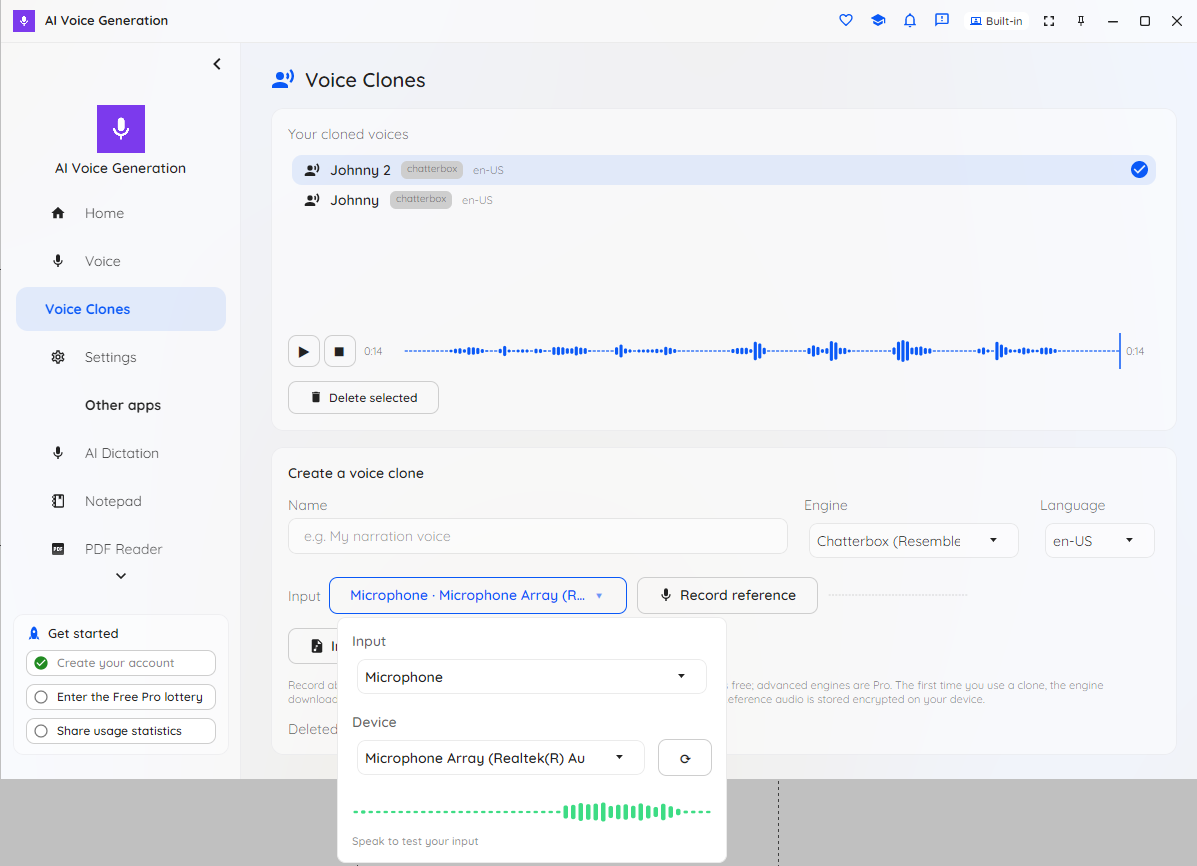
Recording a reference clip from the microphone to clone your own voice

Record 6–15 seconds from your microphone — or import a clip — to clone your own voice.

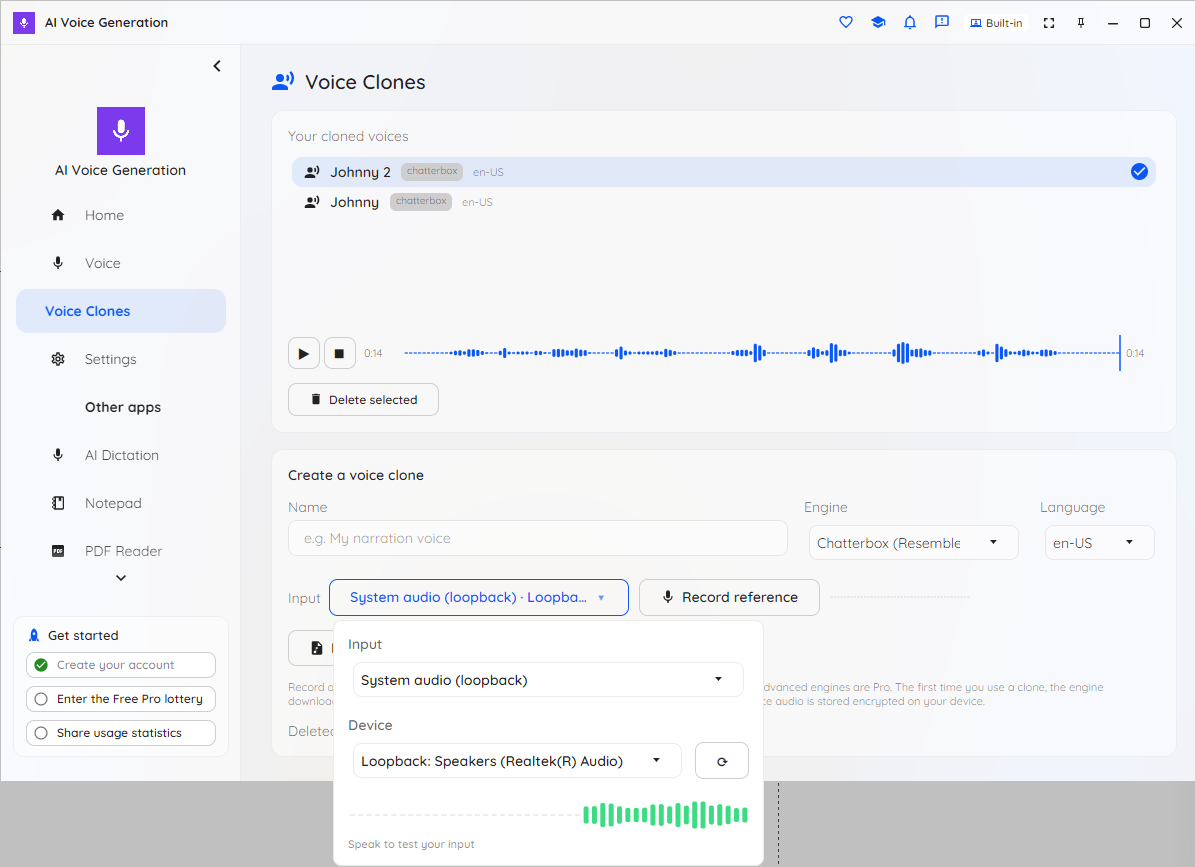
Capturing the computer's own audio as a reference source for cloning

Use your microphone or the computer's own audio as the reference for a clone.

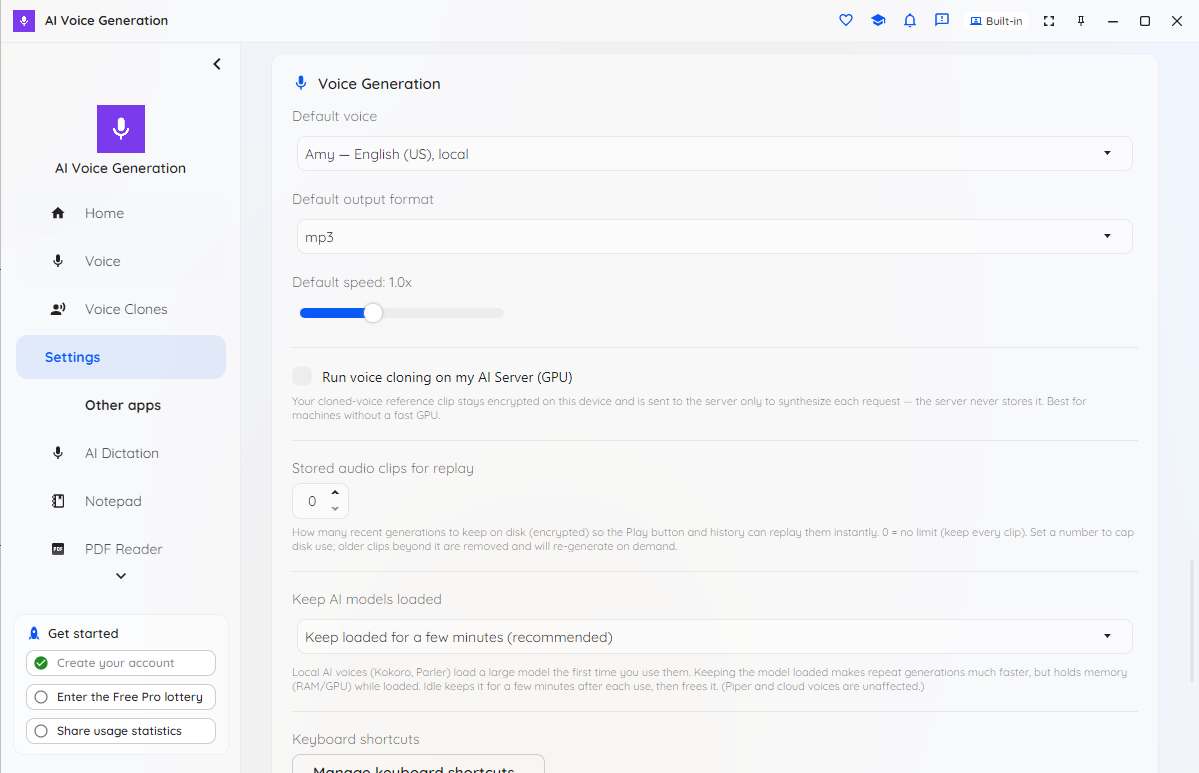
Settings for default voice, output format, speaking speed, audio retention and keeping AI models loaded

Settings: default voice, output format and speed, audio retention, and keeping on-device AI voices loaded.

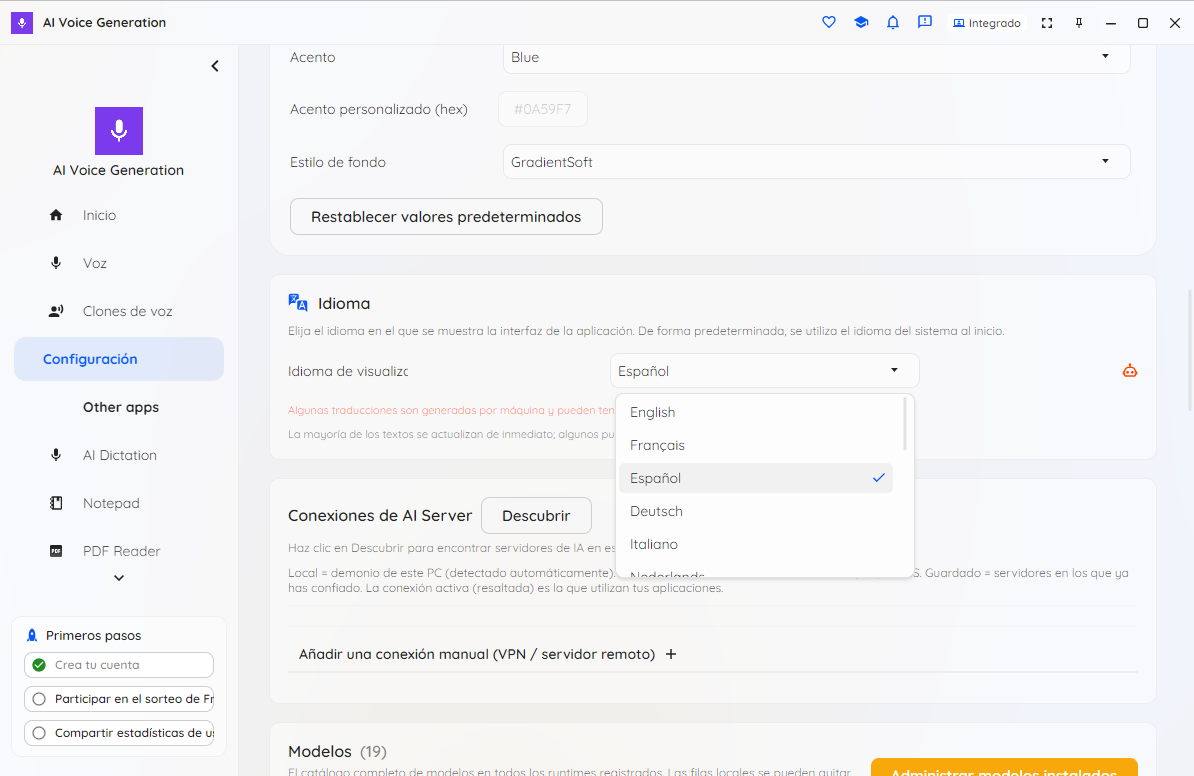
The interface language selector showing the 16 supported languages

A localized interface in 16 languages, switchable in one click.

Desktop, browser and mobile

Desktop (Windows, macOS, Linux) is the primary build, with a headless command-line tool for automation. Browser, iOS and Android editions are available too — some advanced on-device neural voices and cloning engines need a capable desktop (a few are GPU-only). Get it now from the Microsoft Store on Windows.

PLANS

Free is genuinely usable. Pro is about choice of voice.

Free gives you the complete app — text to speech, your first voice clone, the seekable player, exports, the quick filter and the CLI — with the offline Amy voice and no usage meter or nag screens. Pro unlocks the full voice library: every built-in voice, premium cloud voices, high-quality on-device neural voices, the advanced cloning engines, and unlimited clones.

Students, educators, researchers, non-profits and other qualified users can apply for a free 12-month Pro licence.

Give your words a voice, privately

Free to start, on-device by design, with your first voice clone free. Get AI Voice Generation from the Microsoft Store, or read the plans first.

Get release updates

New free AI products, major updates, and a few releases available only via this site. No spam.